Challenge
The bigger challenge was designing something that could bring everything together: sessions, availability, tournaments, and group management, all in one place without making it feel complex or overloaded. We were running our padel group through Facebook chat for sessions and a separate app for tournaments, with nothing connecting the two.
Process
Brand identity
Padelgroup is built through close collaboration. My brother and I work through user flows, UX structure, and key UI decisions together in regular calls, combining his developer and product perspective with my design approach. I led the brand, design system, and all visual and interaction decisions, translating that shared thinking into screens.
The wordmark encodes the concept directly into the letters. The “a” in padel becomes a heart, and the “o” in group becomes a padel ball. The icon combines both into a single mark that reflects a shared love for padel.
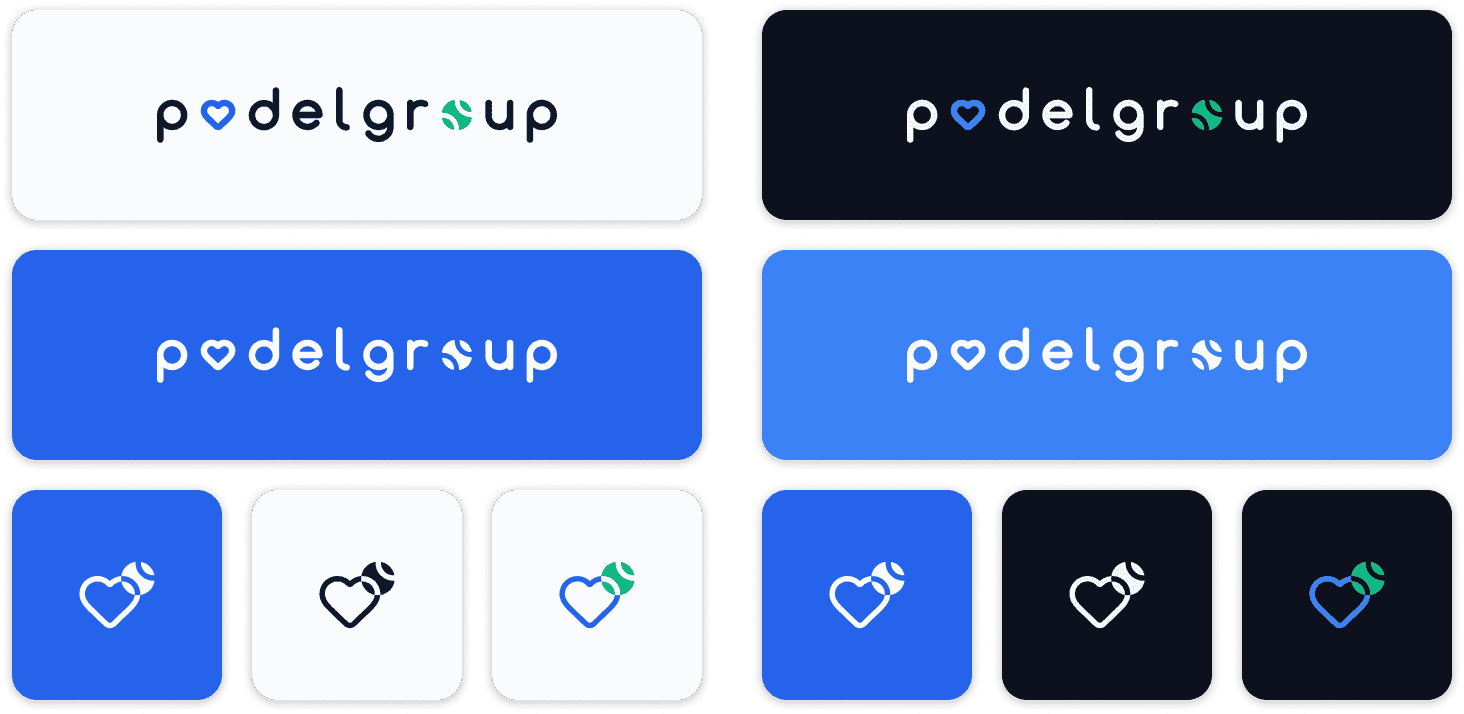
The colour system was built from the start to support both light and dark themes at the token level, so switching themes does not require component-level overrides.
Design system
From there, the design system took shape. It includes semantic tokens for colour, spacing, border radius, and elevation, along with a component library covering controls, navigation, and domain-specific elements. Everything is documented in Figma as the product evolves.
Authentication and onboarding
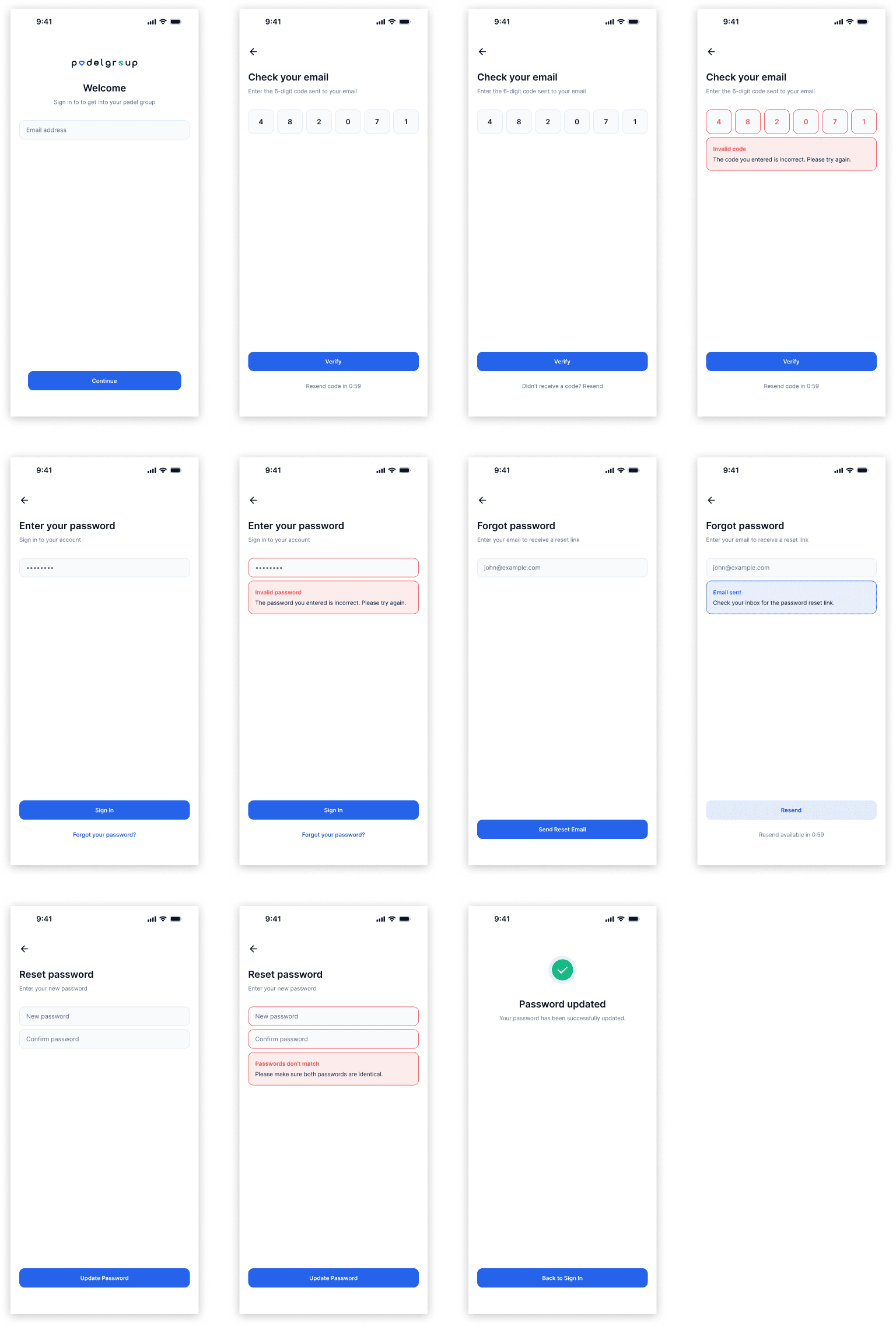
Authentication includes 11 screens, covering sign-in, OTP verification, password reset, and confirmation flows.
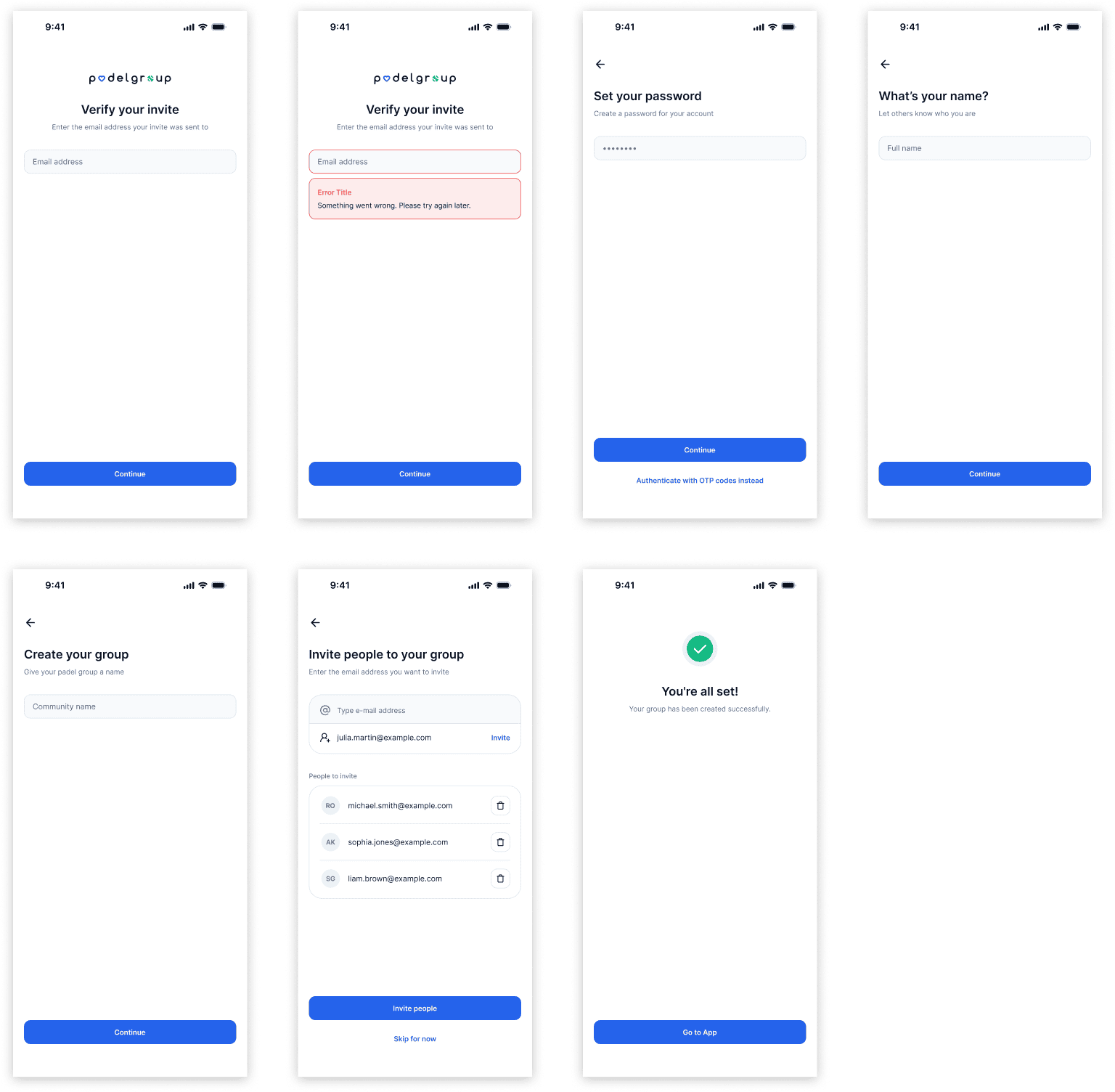
There are two onboarding paths: one for users creating a group and one for invited members joining. Each flow includes its own edge cases and error states.
Core sections
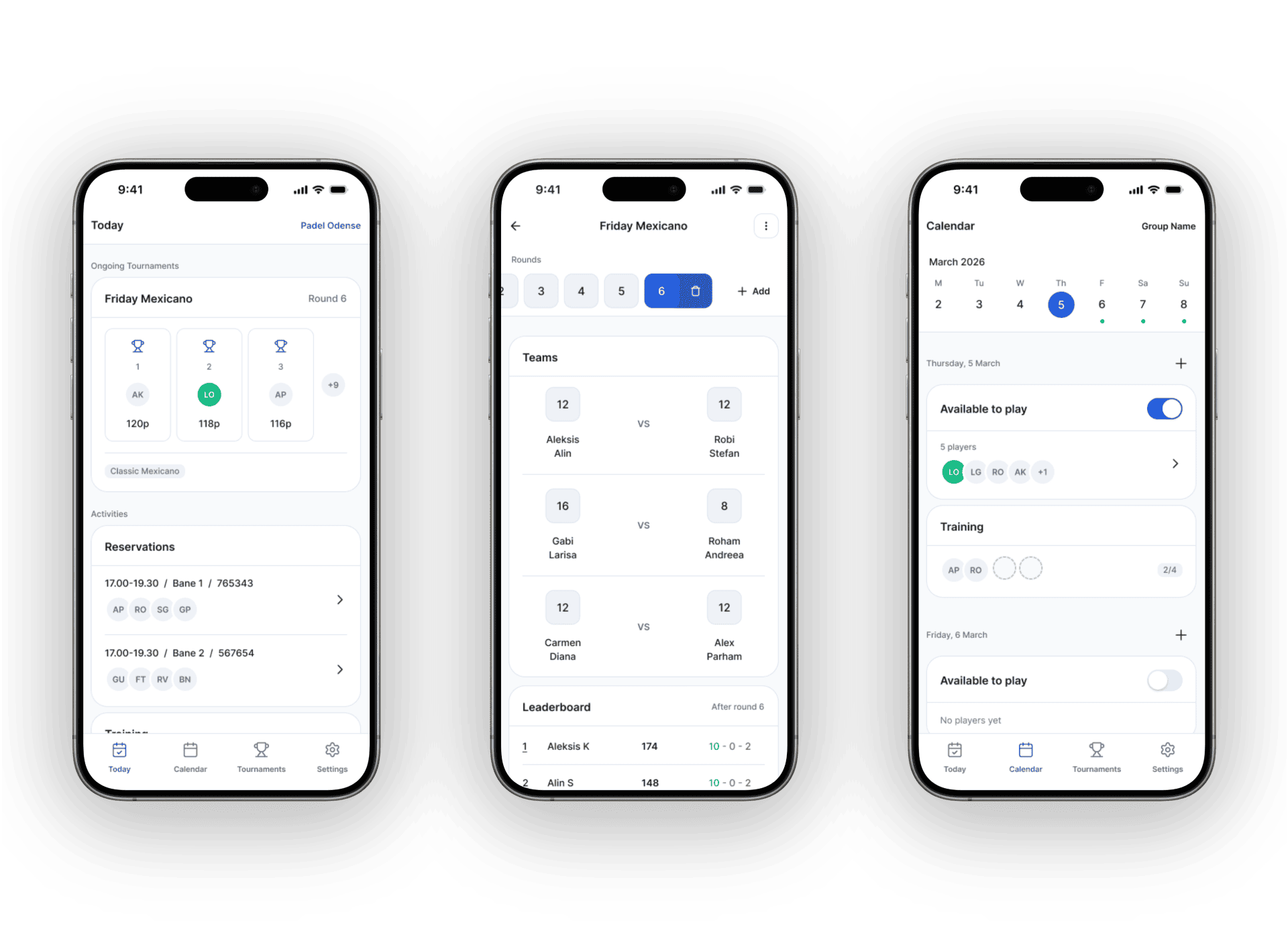
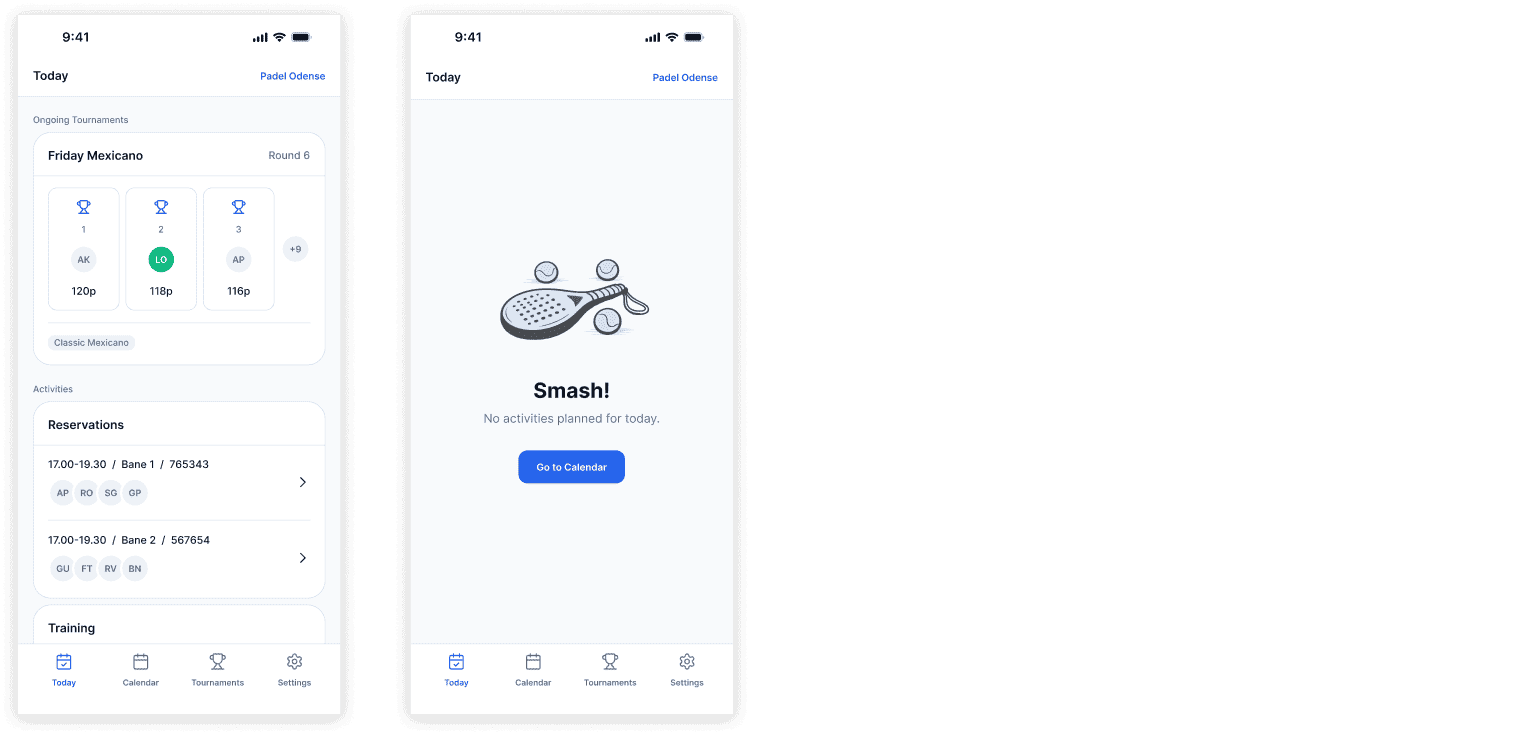
The app is structured around four main sections: Today, Calendar, Tournaments, and Settings. Today gives a quick overview of active sessions and ongoing tournaments.
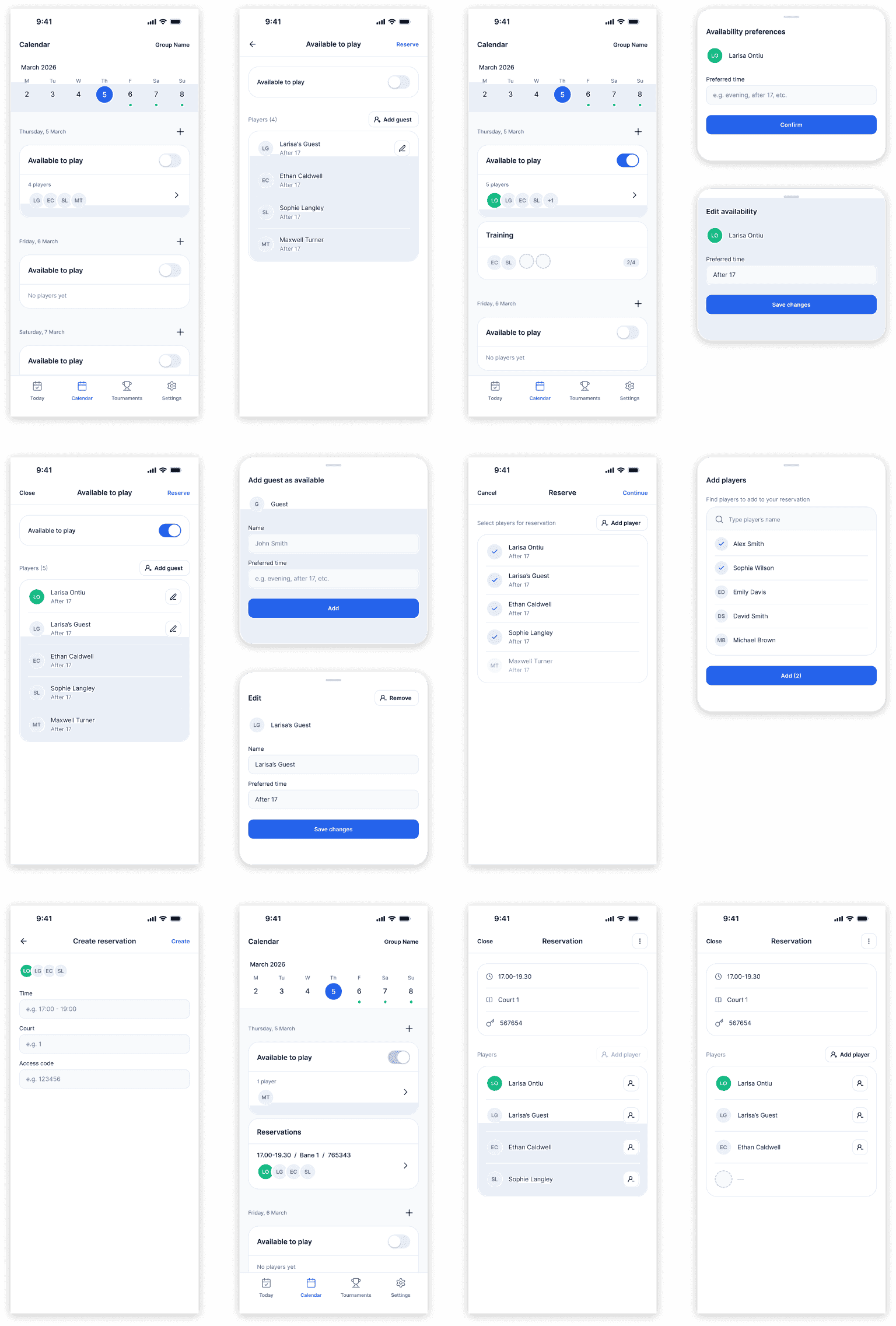
The Calendar is built around a lobby system where players signal availability and preferred times before booking a court, so the group knows who is in before committing to a reservation on the venue's platform.
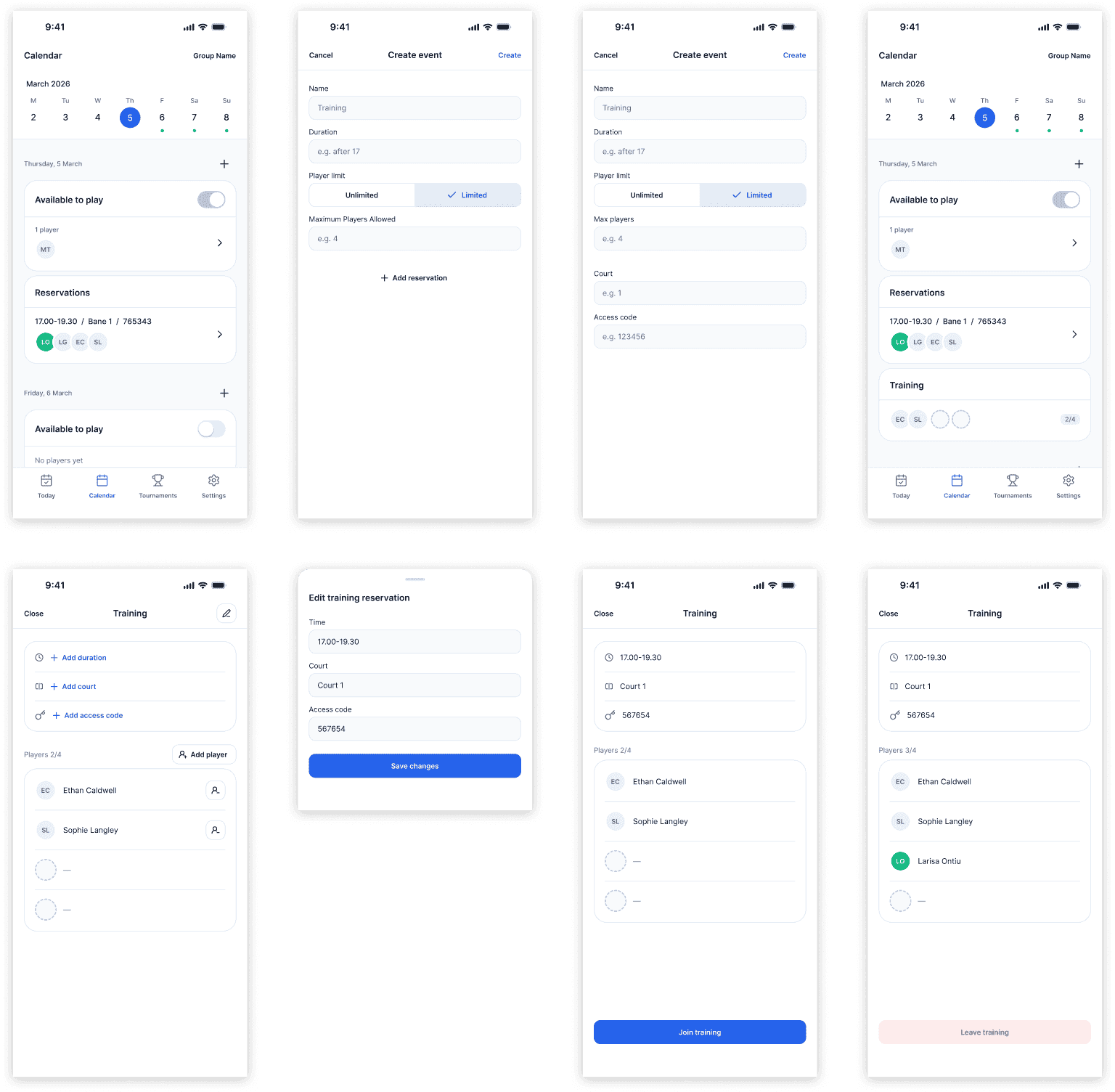
Tournaments supports Mexicano formats with live leaderboards, round tracking, and a final winners screen.
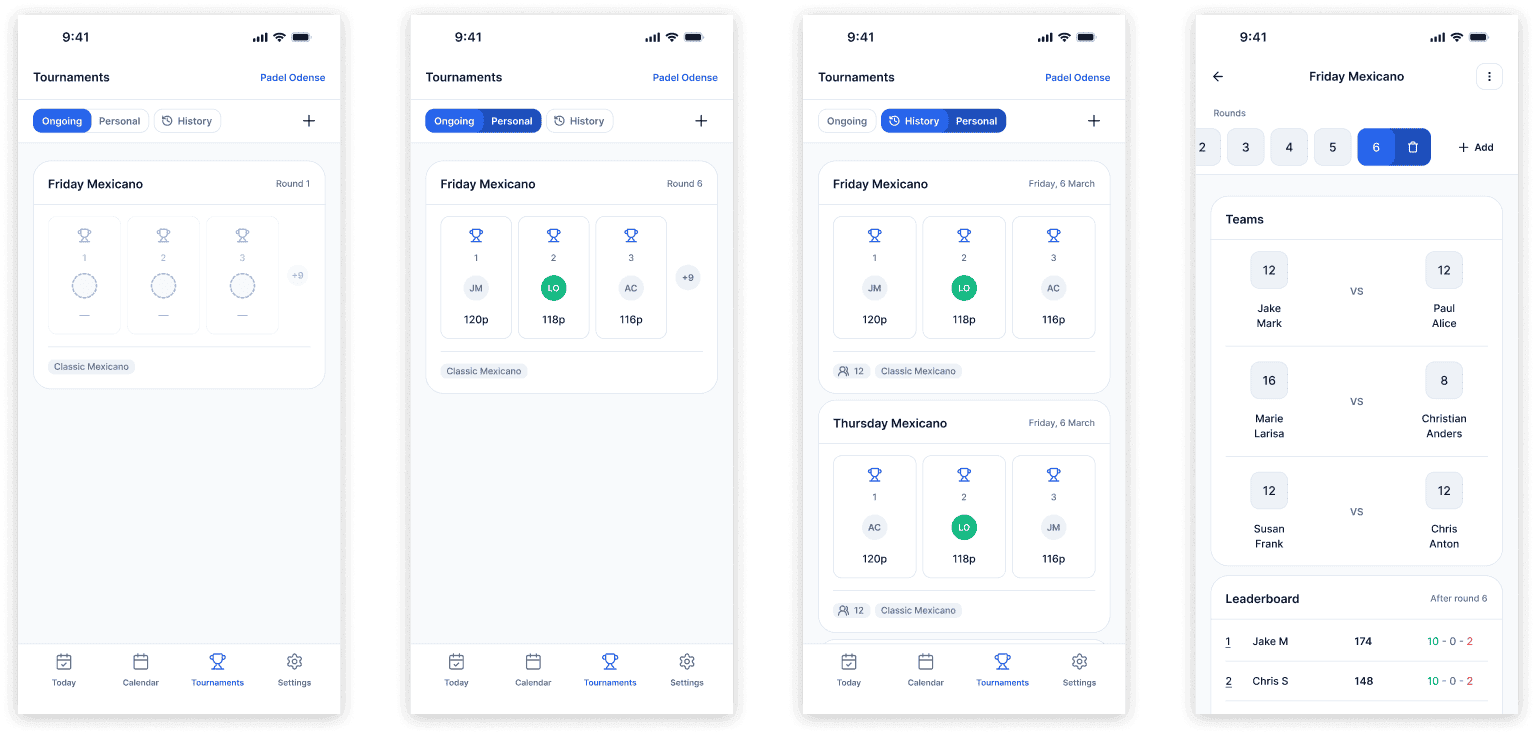
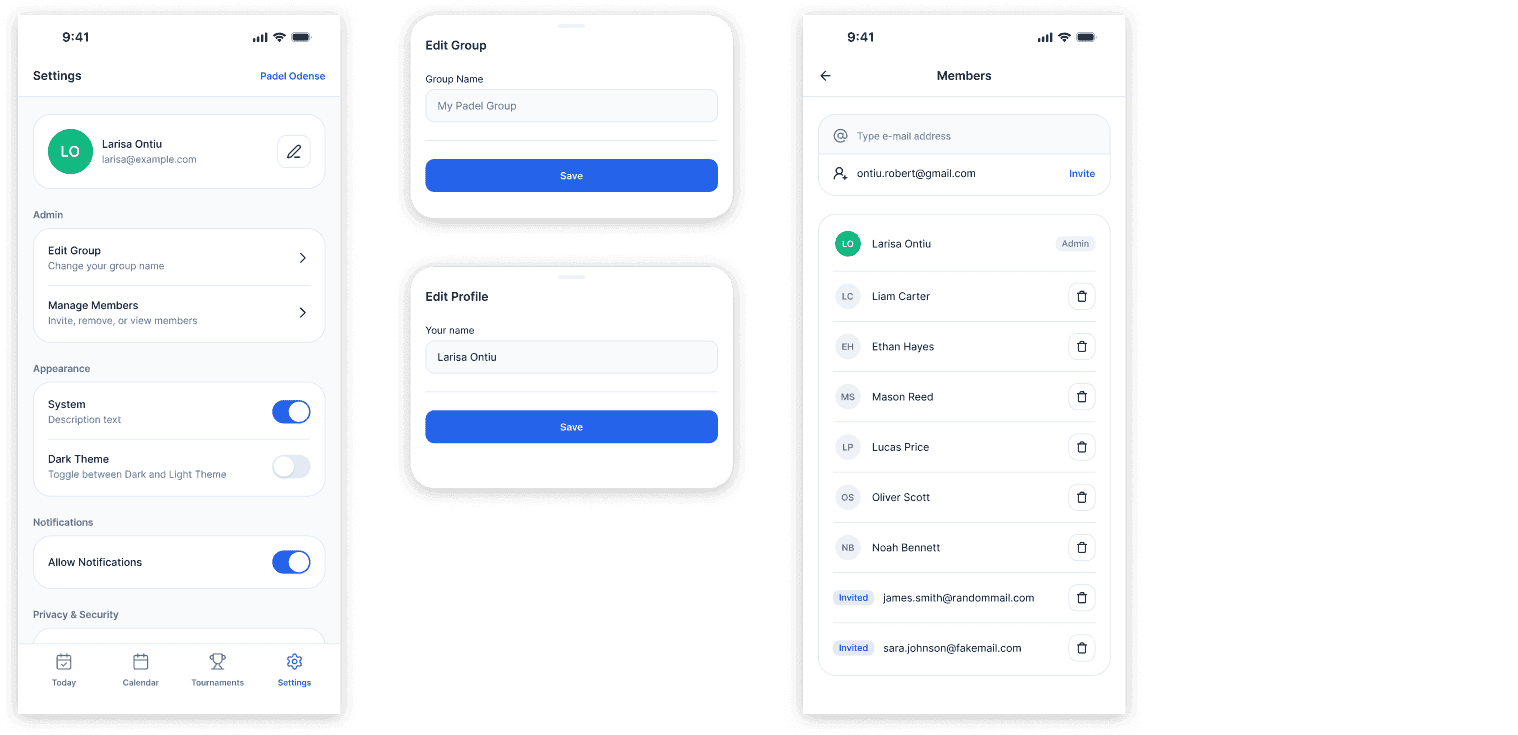
Each section includes empty states, error states, and variations for admins and members.
Outcome
V1 is now live and being tested with three different padel groups. The goal is to learn from real usage and iterate on what works and what does not. The design system is built to support these changes without needing to start over. Additional features are planned beyond V1, and the product will continue to evolve as the testing group grows.