Product
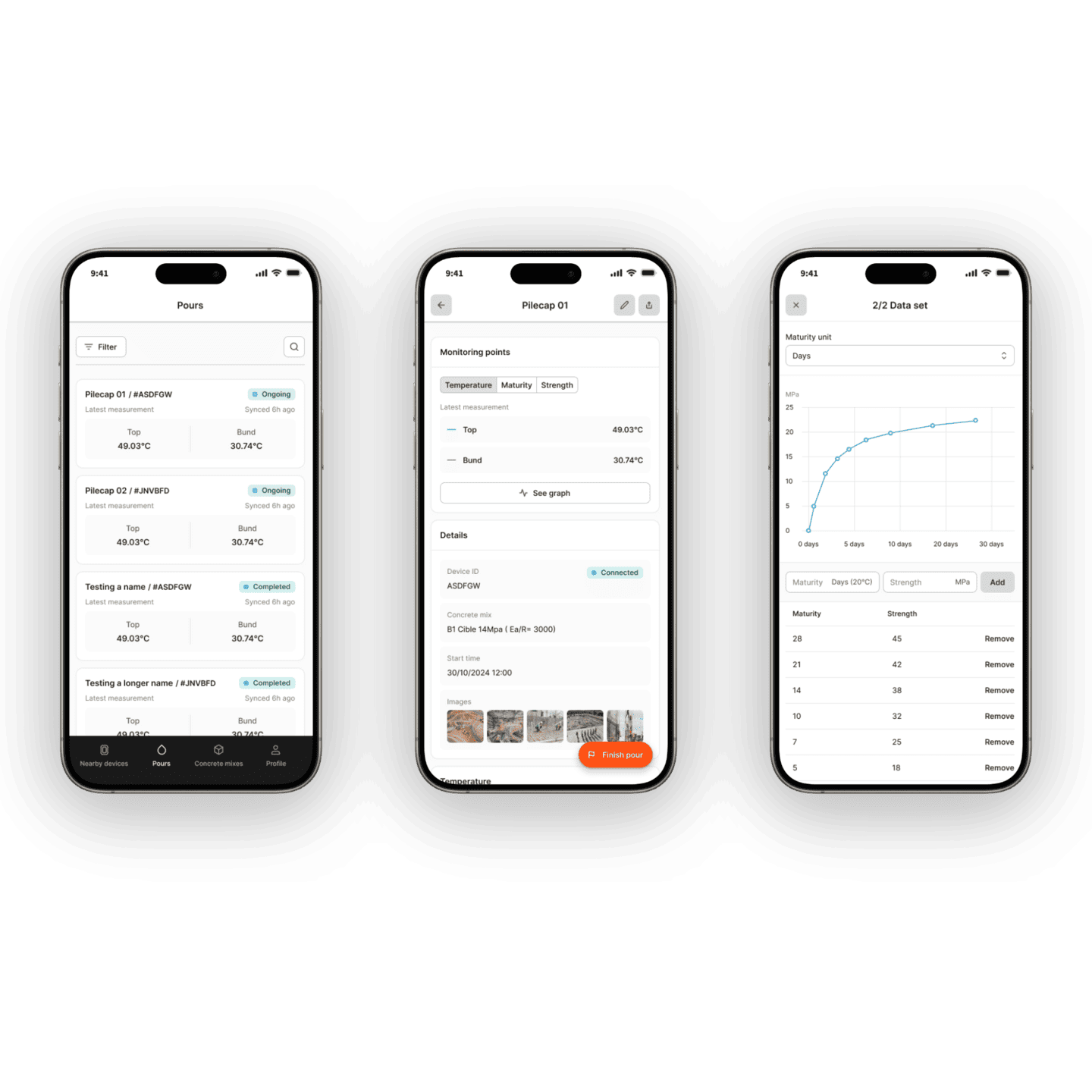
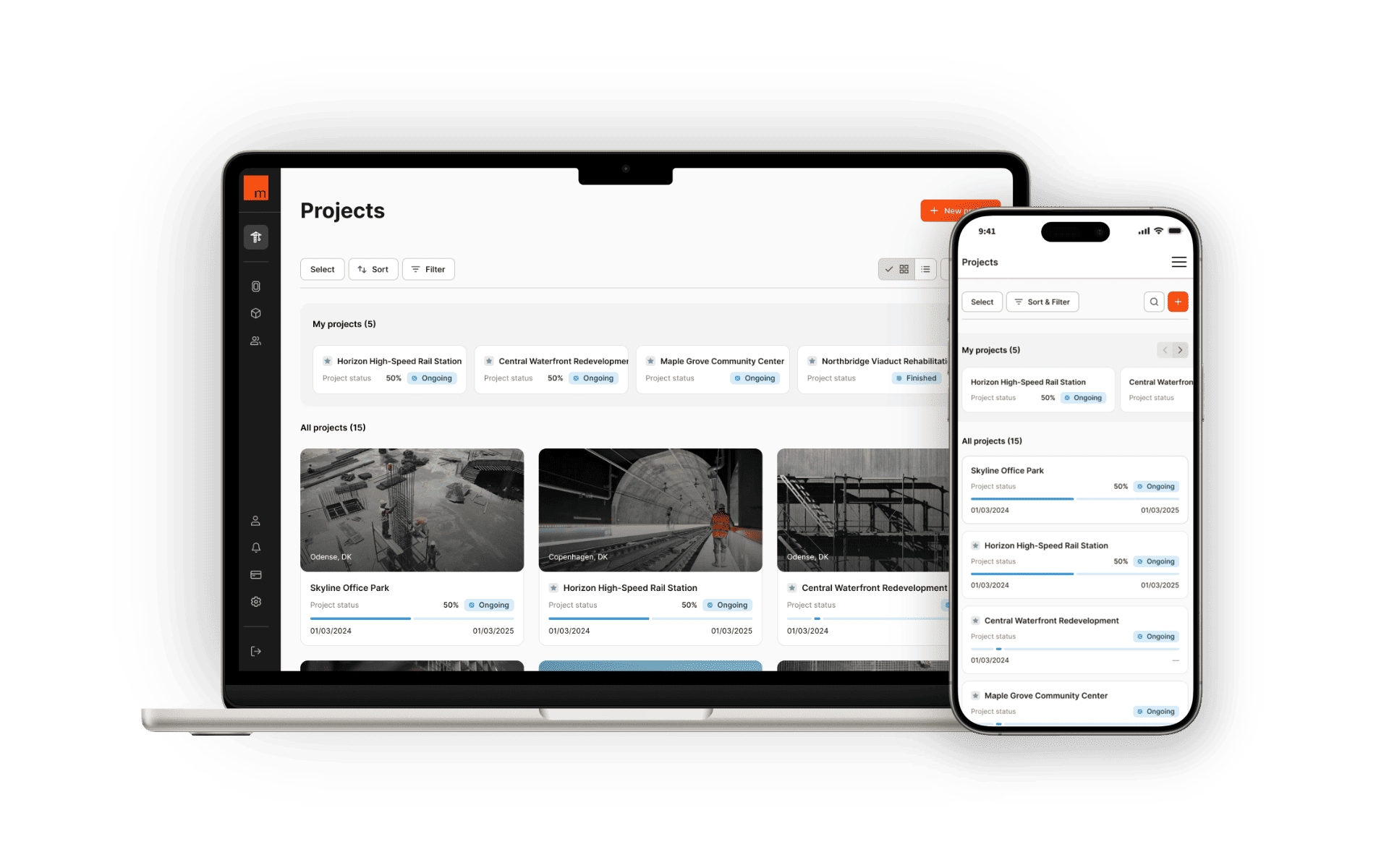
Maturix Insitu is a web platform used by construction teams to monitor concrete curing in real time. Sensors embedded in concrete transmit temperature, maturity, and strength data to the platform. Site teams use this data to track progress, set alarms, and make time-critical decisions, such as when to strip formwork or whether a pour is developing correctly.
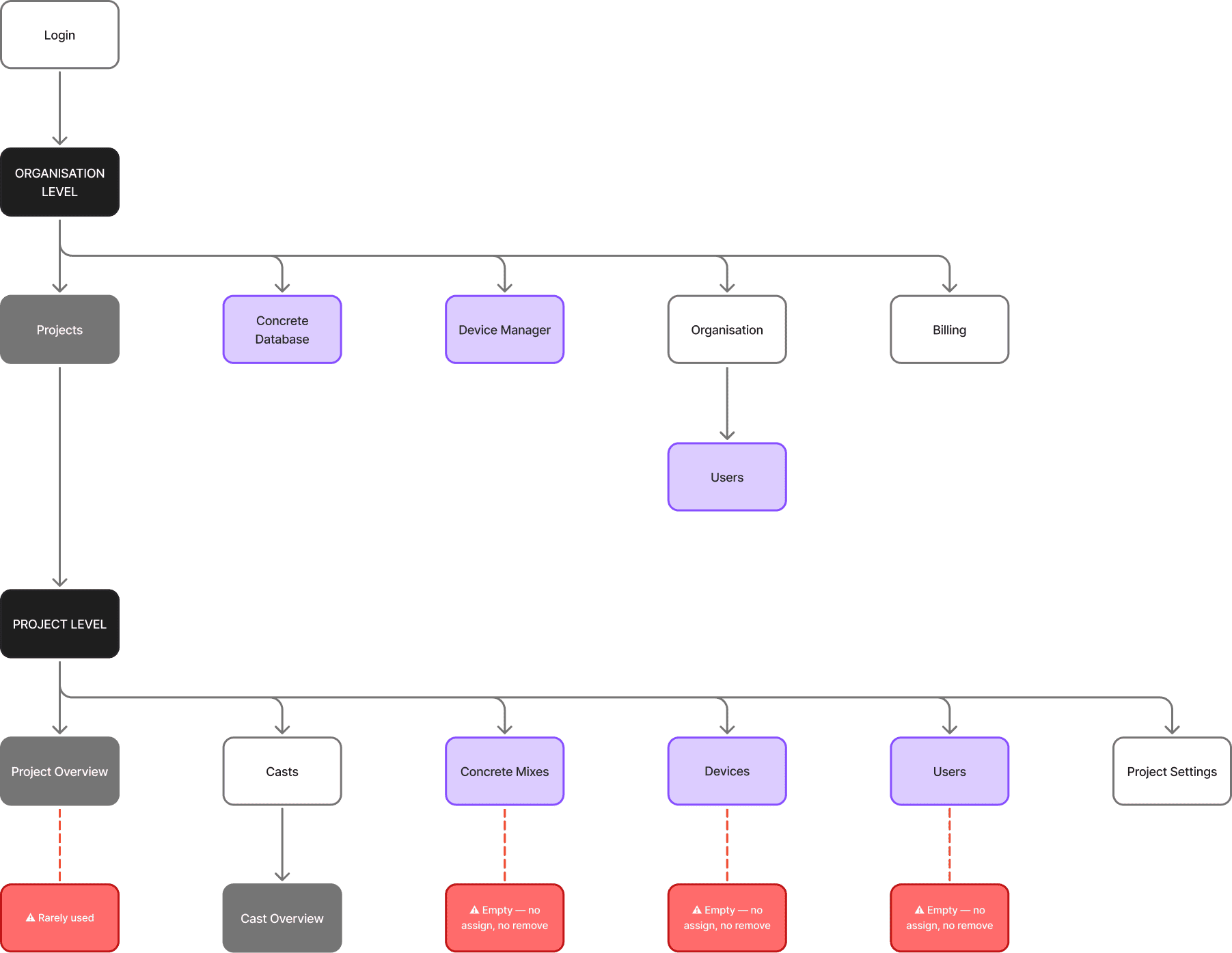
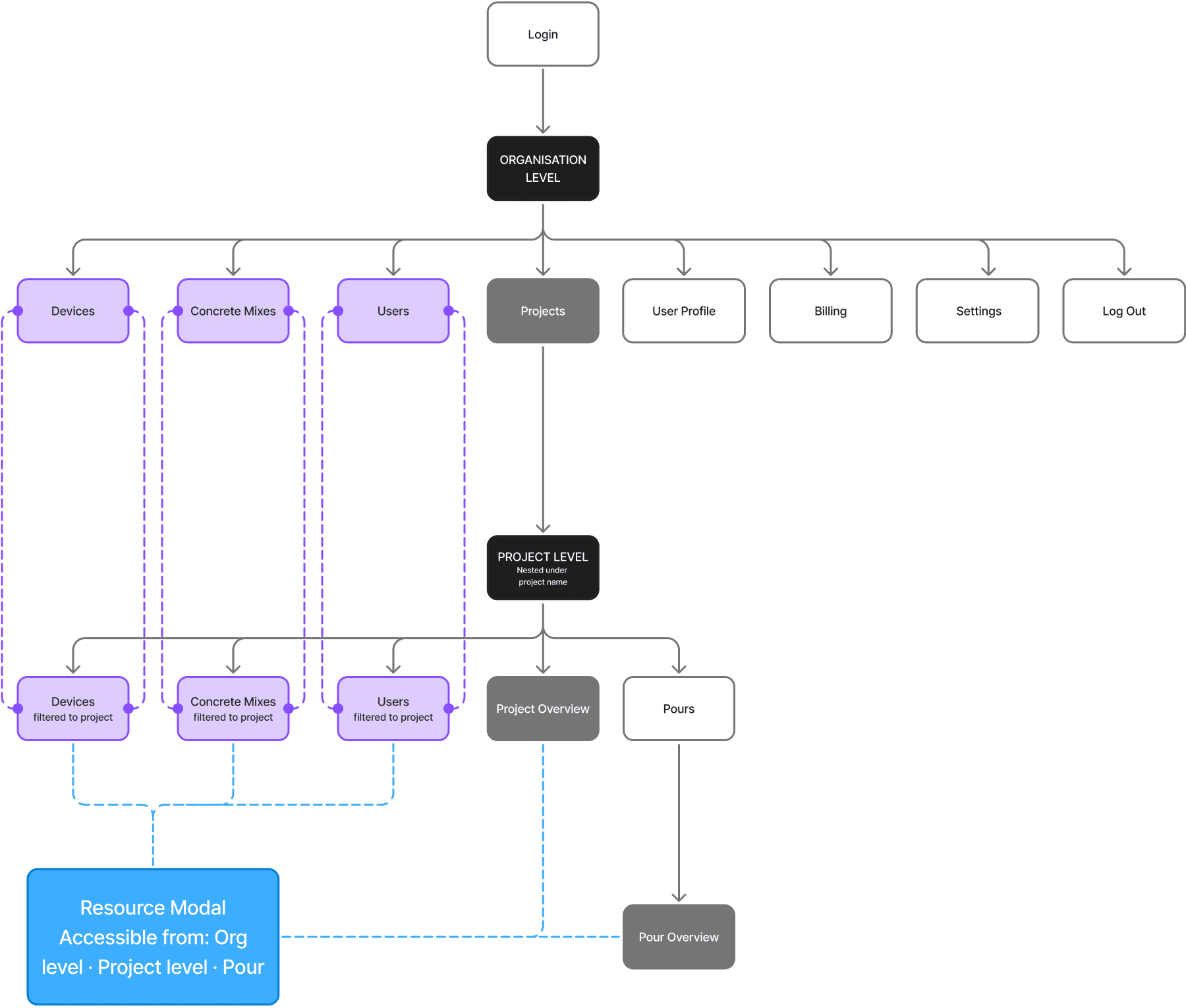
The platform is structured across two levels: organisation and projects. At the organisation level sit shared resources such as devices, concrete mixes, and users. At the project level sit active job sites, each with multiple pours, and each pour with one or more monitoring points connected to a physical device.
Challenge
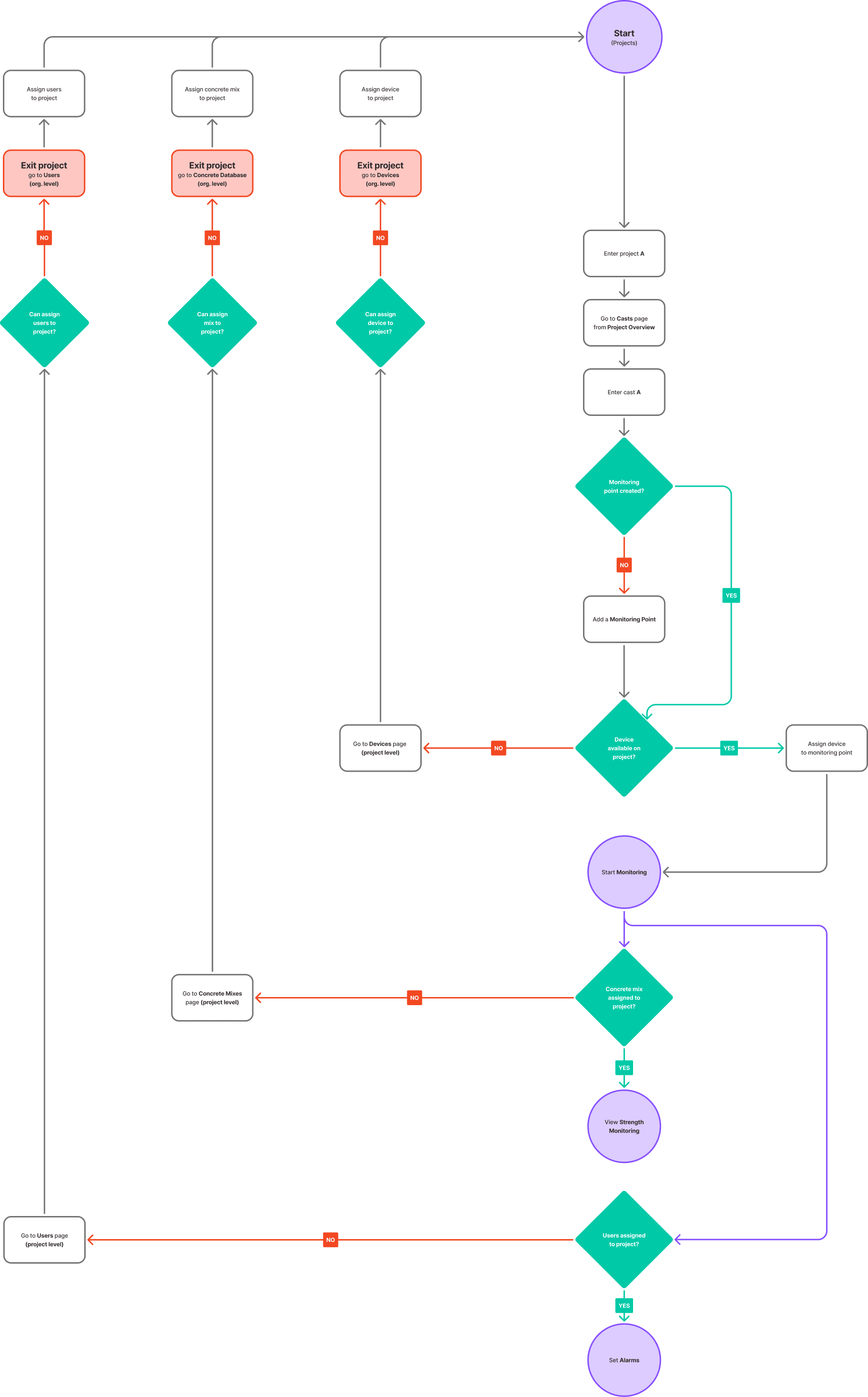
The platform was not obviously broken. It had all the necessary features, but nothing worked together. To start a monitoring point, users needed a device, a concrete mix, and at least one assigned user. None of this was guided or prompted. Even the user who created a project was not assigned to it by default. The result was predictable. Users would build their setup, reach the final step, and only then discover something was missing. They would leave the project, fix the issue at the organisation level, return, and repeat the process for the next missing piece. Experienced users had learned to work around this. New users had not, and this is where the platform was losing people: not to confusion, but to abandoned setups and support requests.
A second issue involved devices. Completing a project did not release its hardware. Devices remained locked inside finished projects until manually removed, creating ongoing resource issues unrelated to the actual work.
Process
Research
I conducted internal interviews with sales and operations teams, who had direct insight into recurring user issues. One clear pattern emerged. Experienced users had adapted to the platform's structure. New users had not. This gap highlighted where the experience was breaking down.
I then mapped the existing architecture and traced common user paths. Moving between organisation and project levels was not an edge case. It was the default experience.
Structural decision
The platform operated on a push model. Users had to prepare and assign resources before entering a project, with no indication that this was required. I reversed this logic. Organisation-level resources became a central pool. Project-level resources became a toolbox. Users could enter a project and pull in what they needed directly within their workflow, without leaving their context.
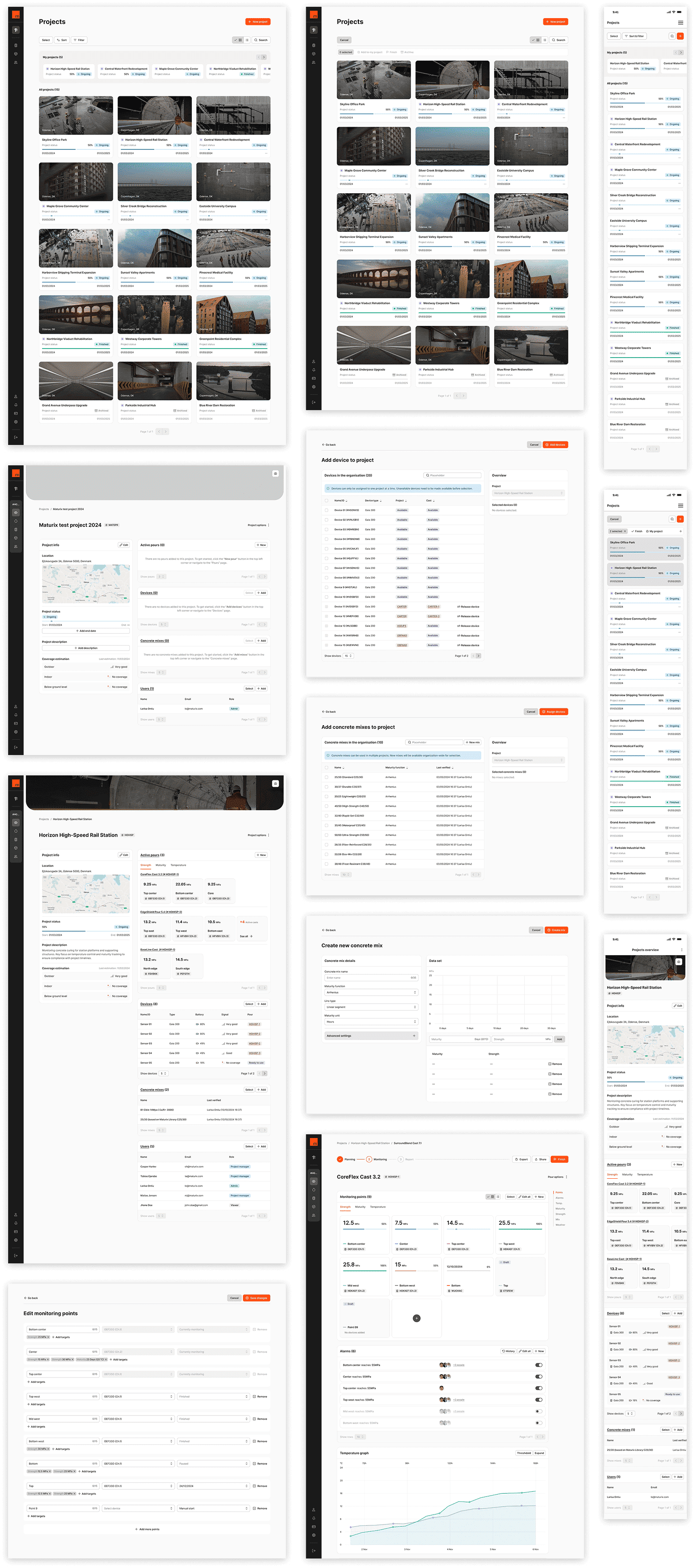
All resource assignments were moved into modals within the flow, including device selection, concrete mix, and user assignment. Device release followed the same pattern, with a confirmation step to prevent mistakes. I also consolidated duplicate resource pages into single views filtered by context. The structure stayed consistent, while adapting to where the user was.
Automations
Some issues were not related to navigation, but to missing system logic. We introduced simple automations: assign the project creator by default, assign users who make key changes, and automatically create standard alarms when a device is added. These changes removed repetitive setup tasks and reduced the risk of user error.
Overview as toolbox
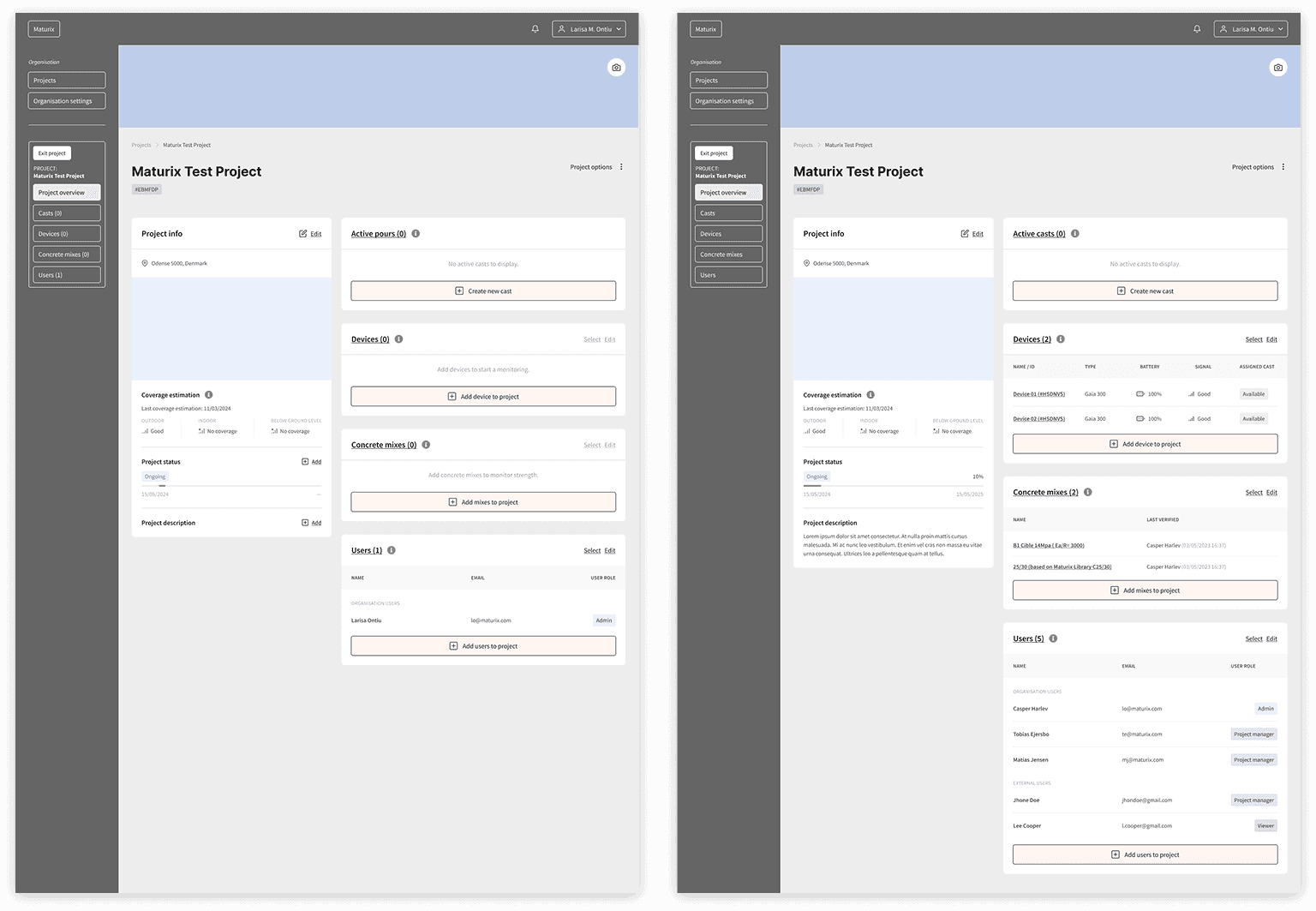
The project overview previously showed a summary panel and a map, neither of which supported setup. I redesigned it as a starting point for project preparation. Users are introduced to a toolbox of required resources, each with a clear action. As resources are added, the interface updates accordingly.
If users skip the overview and go directly into a flow, the same guidance appears in context. The system supports the user where they are, instead of relying on a fixed starting point.
Wireframing and testing
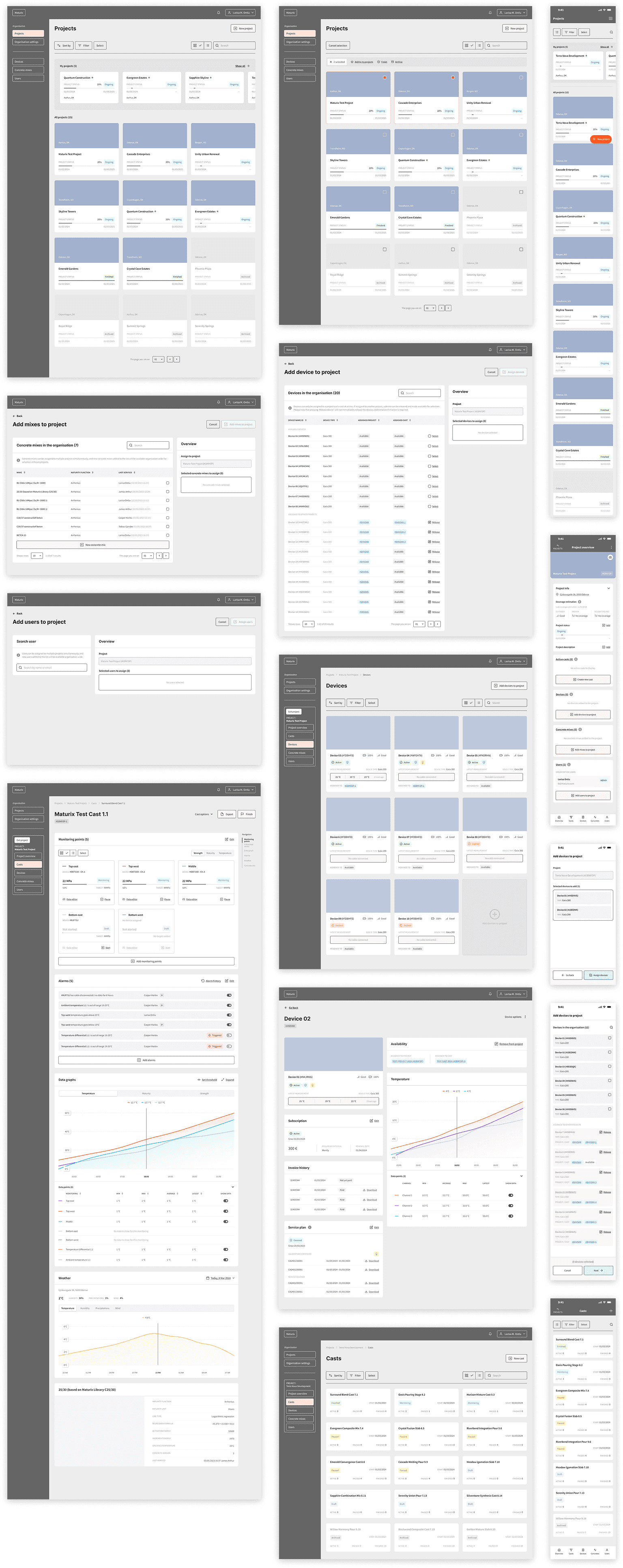
I built interactive wireframes in Figma, keeping the visual design minimal to focus on structure and flow. Testing was conducted with users familiar with the platform's limitations. These were people who knew exactly where it failed.
Users were able to complete setup tasks without the back-and-forth navigation that defined the previous experience. The toolbox model was understood without explanation.
Design system
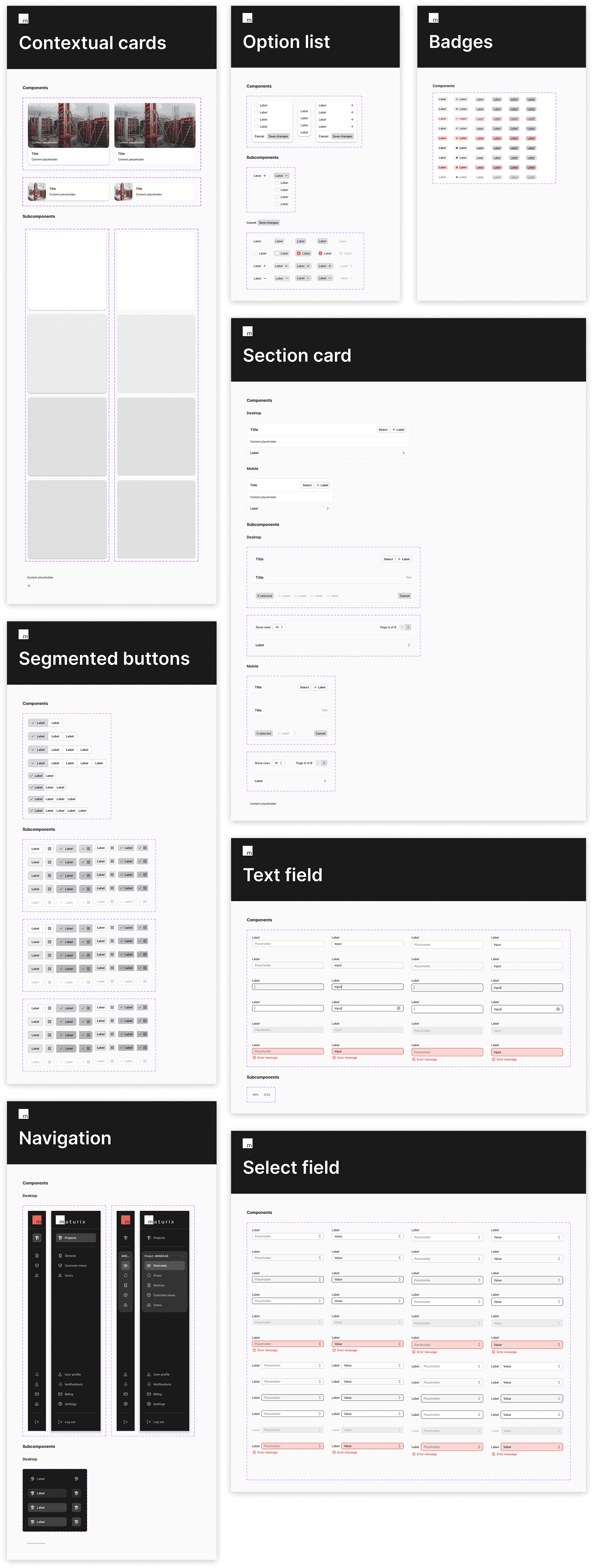
Alongside the redesign, I built a design system in Figma to support Insitu, Nova, and future products. It includes a foundational layer covering typography, colour, elevation, radius, and layout, along with a full component library organised by function. Each component includes specifications for states, structure, and usage.
The system was designed for direct use by developers, reducing ambiguity during implementation.
Prototypes
I created interactive prototypes covering the full setup flow, from project entry to monitoring point configuration. They define all states, transitions, and interactions, including how the system responds when required resources are missing. Together with the design system, these served as the main reference for development.
Outcome
For new users, this is the difference between getting started and giving up. Users could complete a full project setup without leaving their context, and the toolbox model was understood without explanation during testing.