Product
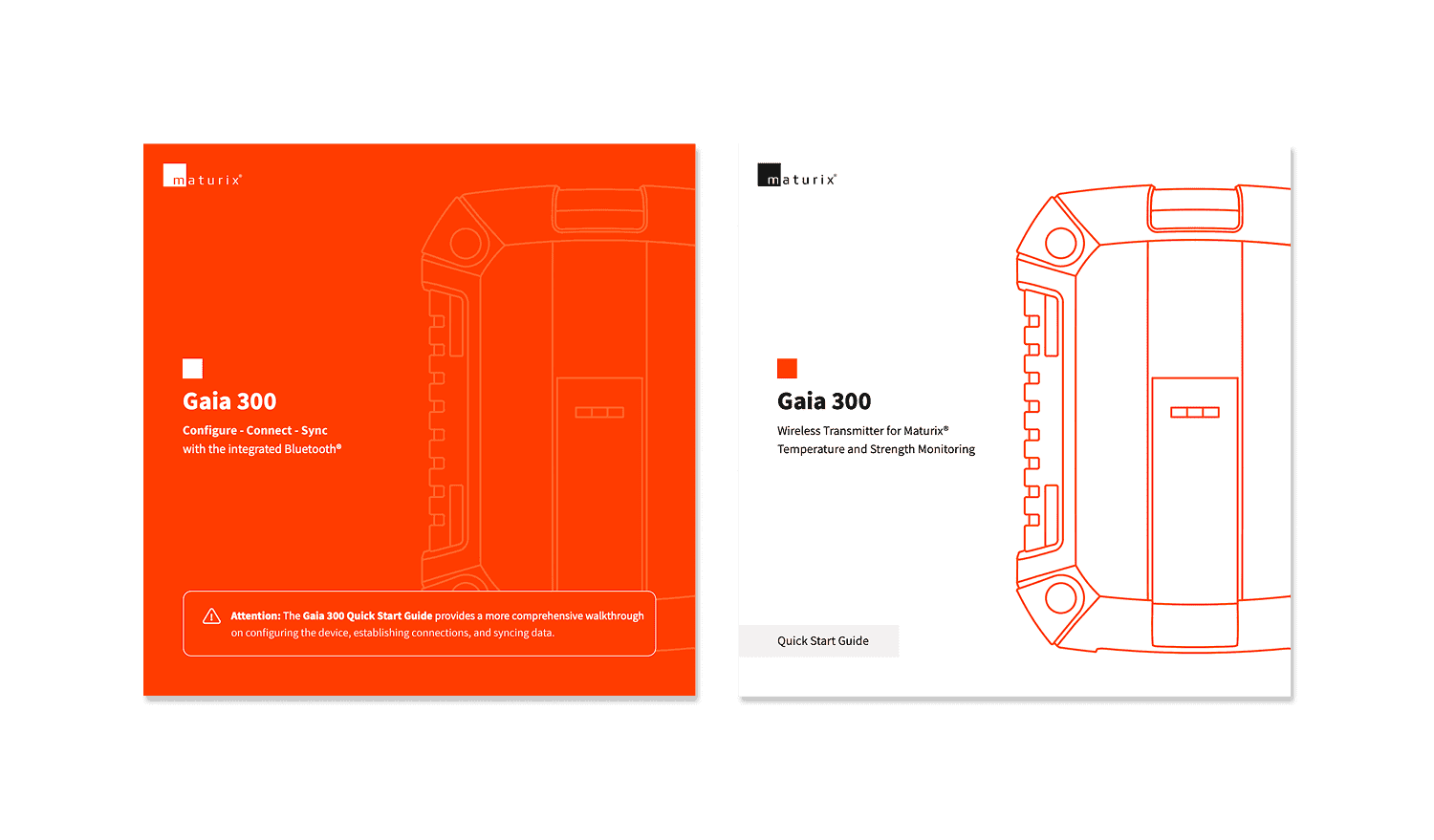
Gaia 300 is a wireless concrete monitoring transmitter that connects up to three Type K thermocouples, tracking temperature and strength across three points in a single pour. It transmits data via Sigfox but also stores data onboard and connects directly to a phone over Bluetooth.
This makes it suitable for projects where network coverage is unreliable, such as tunnels, below-grade structures, or remote sites. When connectivity is available again, or when a user is physically near the device, stored data can be synced to the cloud.
Challenge
Bluetooth connections drop. Thermocouple cables fail. Hardware components break. Each failure state needed to clearly explain what was wrong and what to do next. On a construction site, a generic error message is not just a UX issue, it creates a monitoring gap.
Beyond handling errors, the main challenge was coherence. Configure, Connect, and Sync are separate actions, but they needed to feel like one system. On site, with an active pour, there is no room for uncertainty about what step the user is in or why an action is unavailable.
Process
Mapping the system
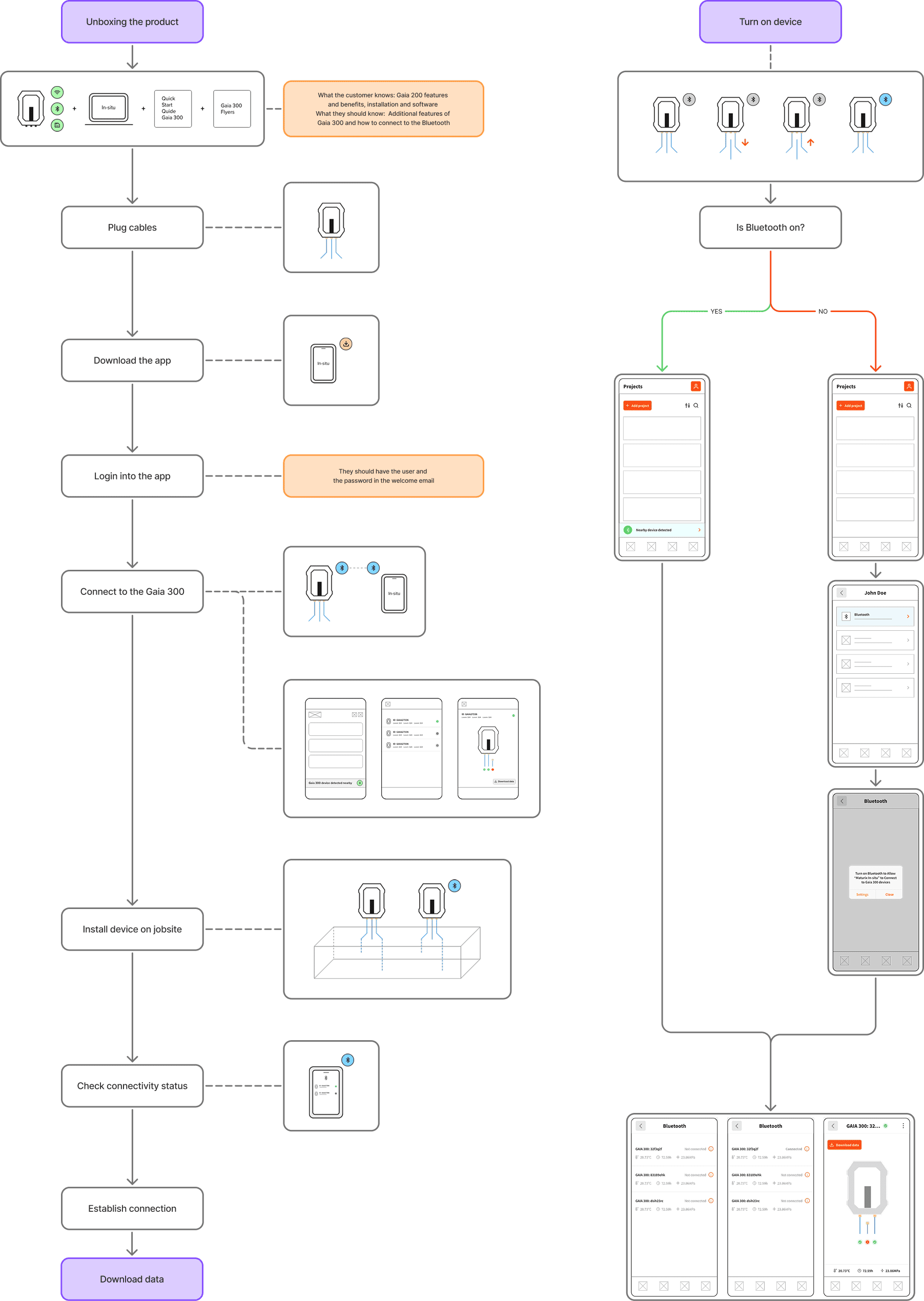
Before designing screens, I mapped the full user journey in Figma, from unboxing to data sync. Hardware constraints were included directly in the flow, such as Bluetooth power cycling, thermocouple reconnection logic, and differences between new and returning users.
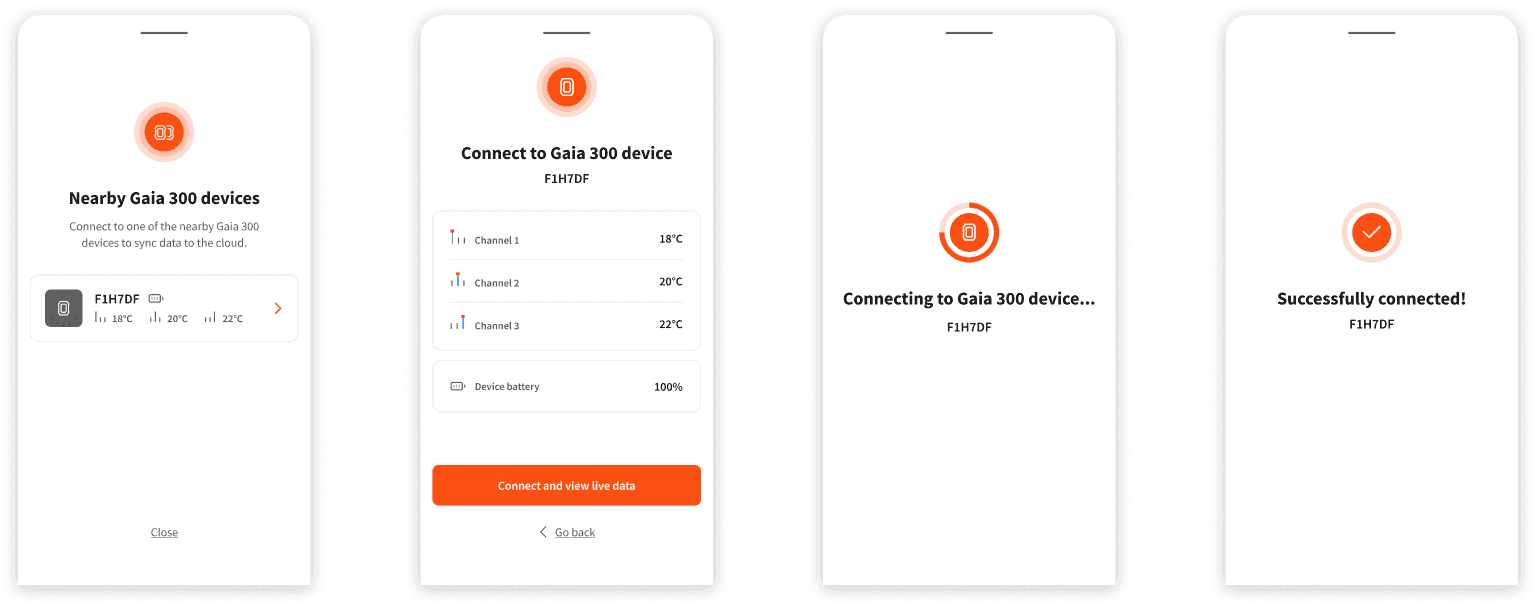
An early concept placed Bluetooth in a separate section of the app. This added unnecessary navigation at a critical moment. I moved to an overlay model instead, where the interface appears automatically when a nearby device is detected, keeping users in context.
Configure
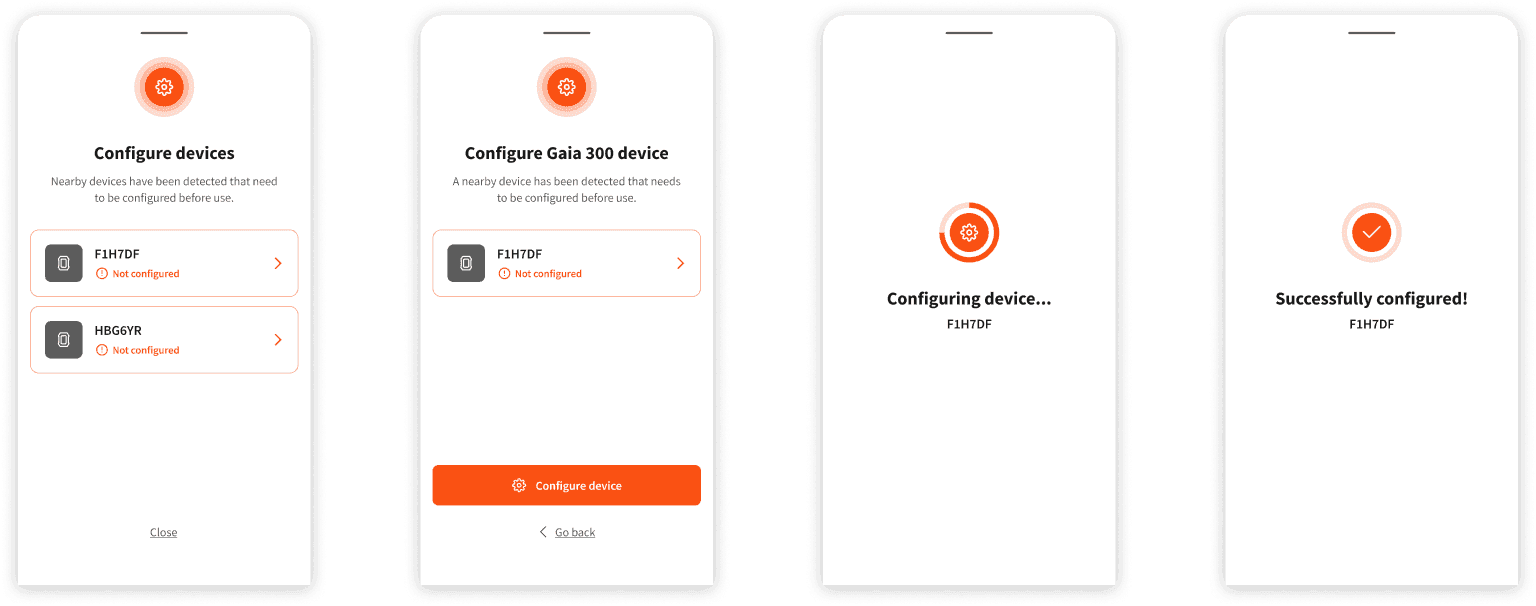
Configuration happens once, on first use. When an unconfigured device is detected, the app prompts setup before monitoring can begin. I designed clear progress and completion states so users always know whether the action has succeeded, including a loading state followed by a confirmation before the device appears in the nearby devices list.
Connect
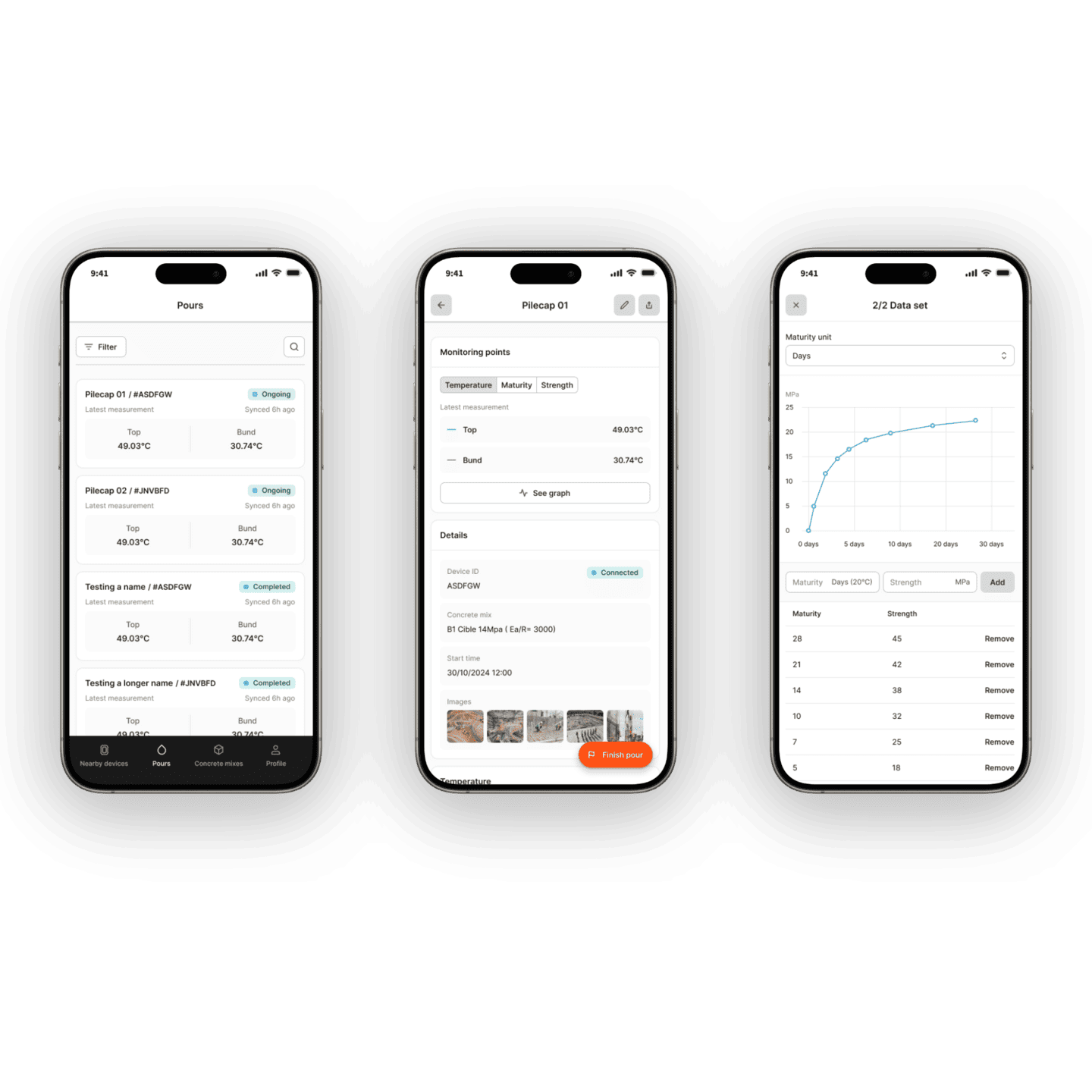
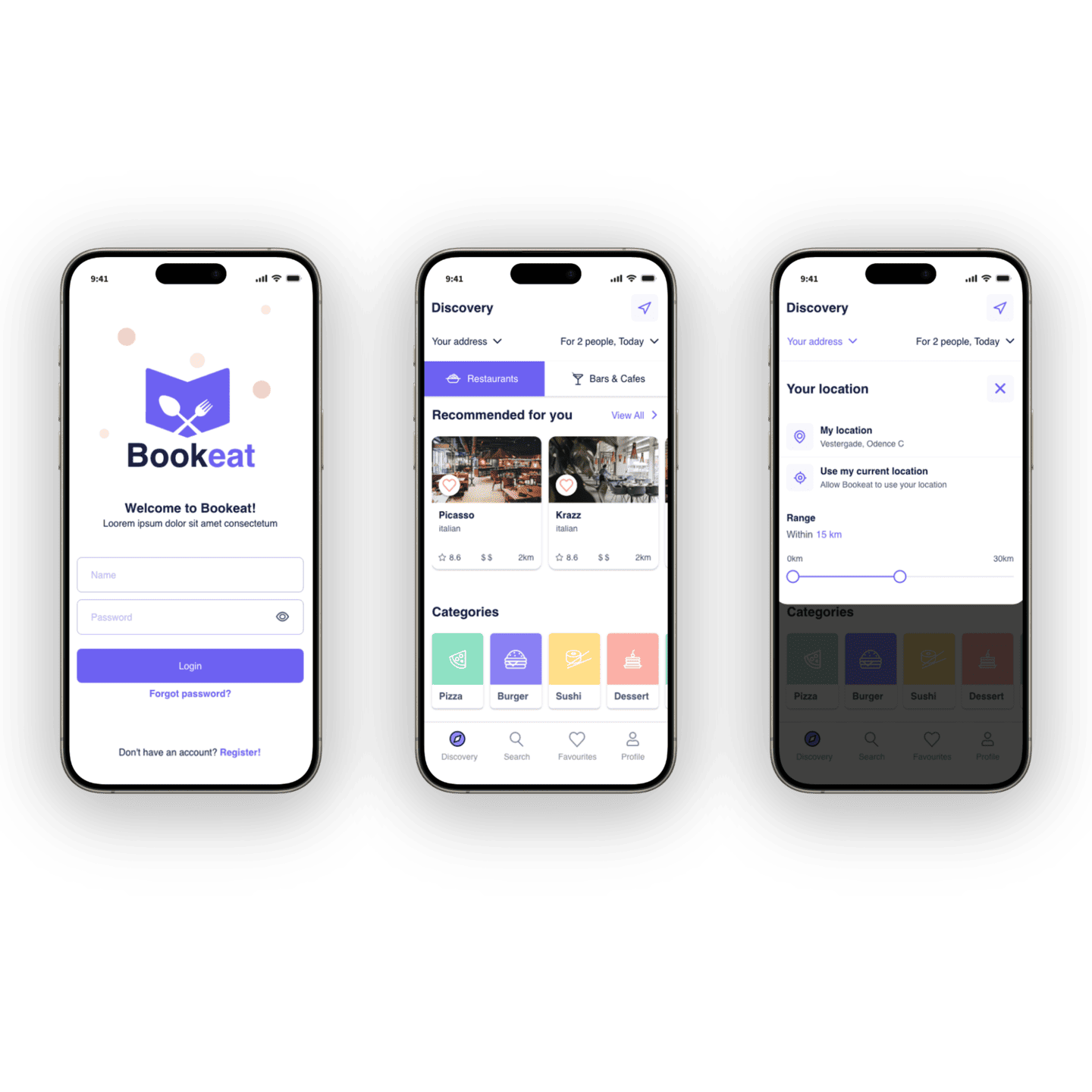
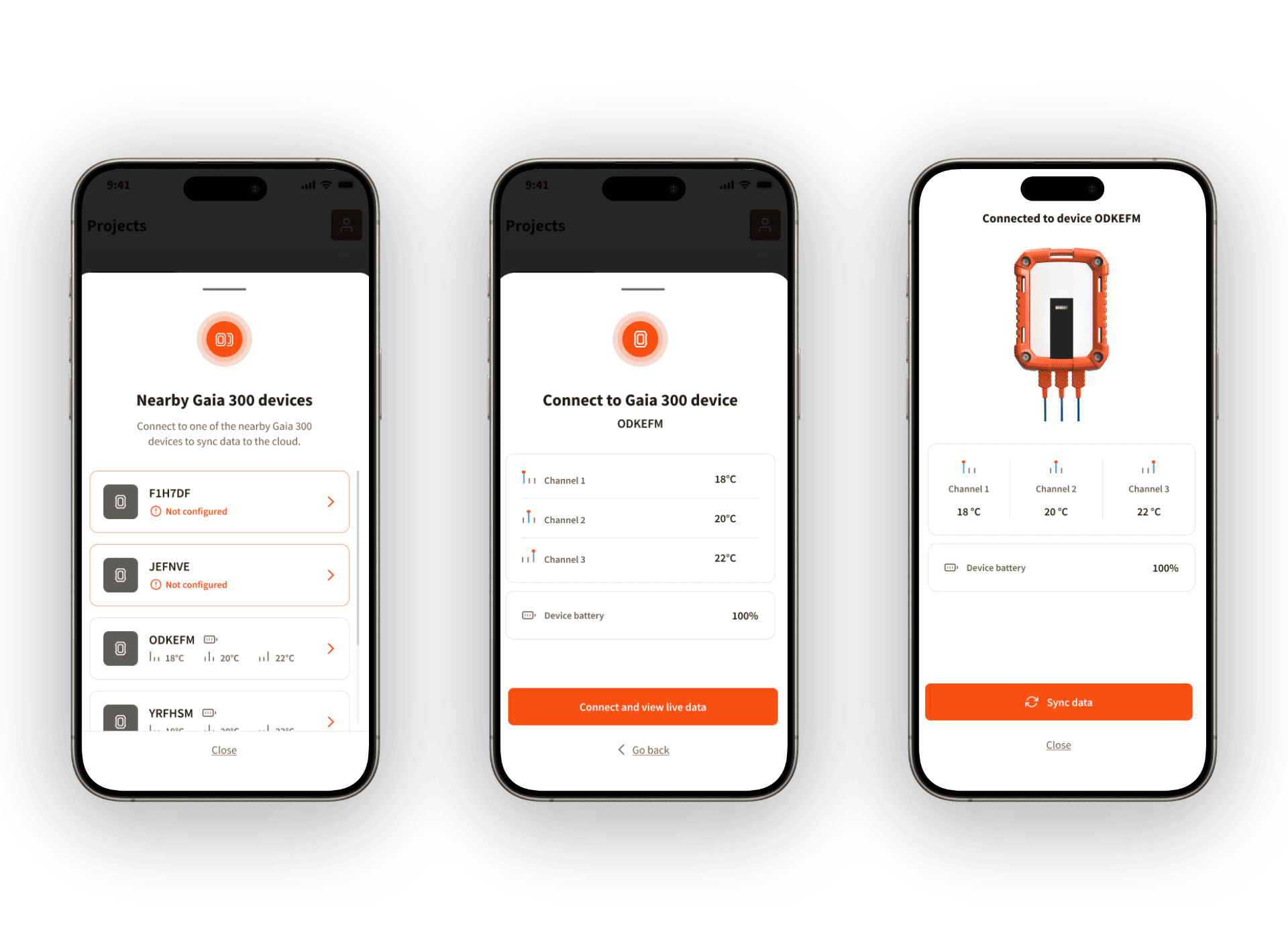
The Connect flow displays all nearby devices, each with visible channel data and battery status before connection. This allows users to identify the correct device without repeatedly connecting and disconnecting.
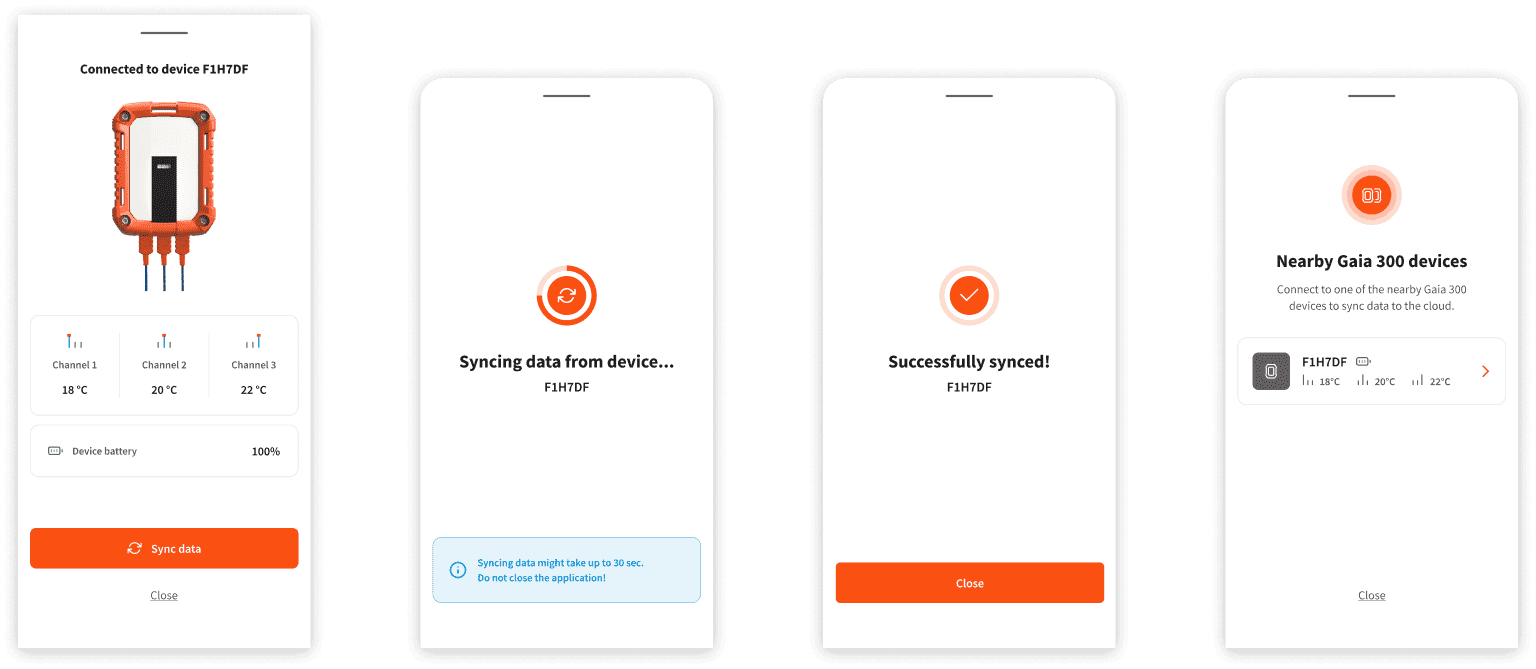
Once connected, users enter a device view showing all thermocouple channels and battery status, along with a single action to sync data.
Sync
The Sync flow includes a clear in-progress state, with a warning not to close the app during transfer. Completion confirms exactly which device was synced and that data has been uploaded for all associated pours. This avoids generic success messages and gives users confidence that the process is complete.
Error states
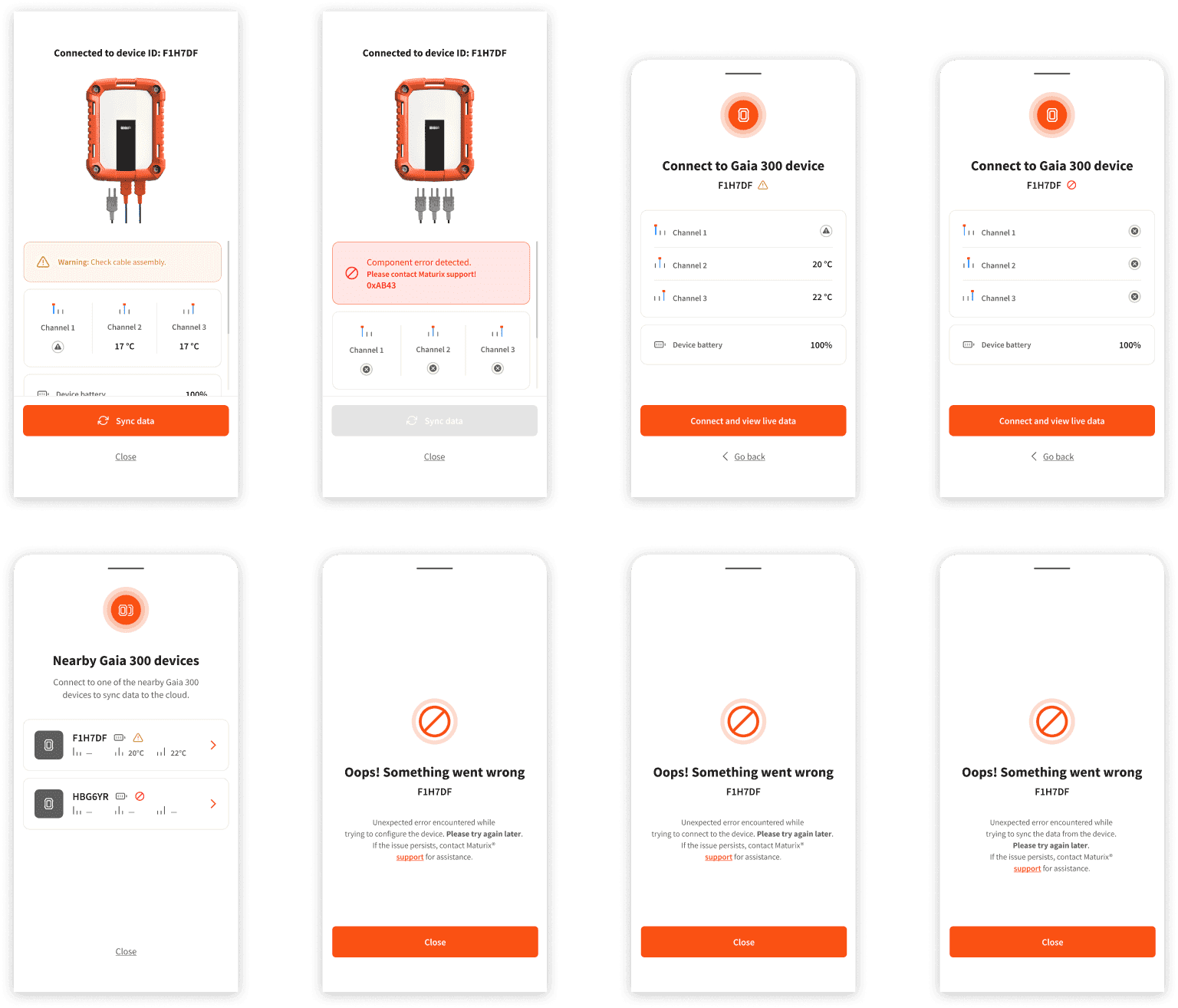
I designed error states across all flows. A faulty cable triggers a warning on the affected channel while still allowing sync. A component failure disables sync and displays a specific error code that can be shared with support. Unexpected failures during configuration, connection, or sync follow a consistent structure: what happened, what to try next, and where to go if the issue continues.
All flows were designed in Figma and delivered to the development agency with full state documentation.
Outcome
The error states were critical. Each one provides clear guidance on what went wrong and what to do next. On a construction site, that clarity is the difference between resolving an issue and losing monitoring data. The Gaia 300 interface shipped with the hardware, and site teams could move through Configure, Connect, and Sync as a single coherent flow.
The error states were critical. Each one provides clear guidance on what went wrong and what to do next. On a construction site, that clarity is the difference between resolving an issue and losing monitoring data.