Challenge
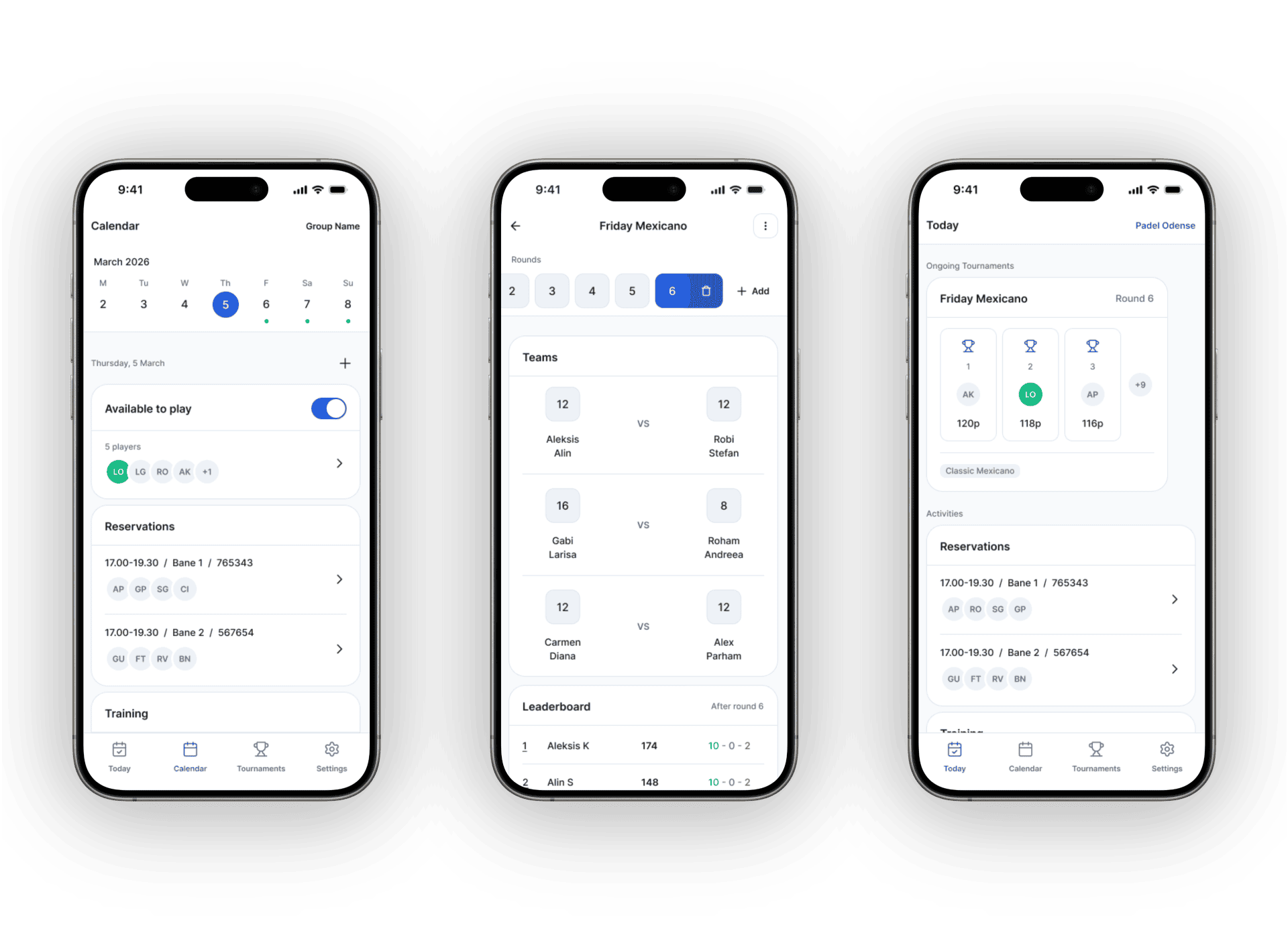
We were a padel group running on Facebook chat for sessions and a separate app for tournaments, with nothing connecting the two. The friction was real, but the harder problem was designing something that could hold it all together: sessions, availability, tournaments, and group management in one place without feeling like it was trying to do too much.
Process
Brand identity
Padelgroup is built through close collaboration. My brother and I work through user flows, UX structure, and key UI decisions together in regular calls, with his developer and product perspective feeding directly into the design thinking. I led the brand, the design system, and all visual and interaction decisions, translating that shared thinking into screens. That started with the identity.
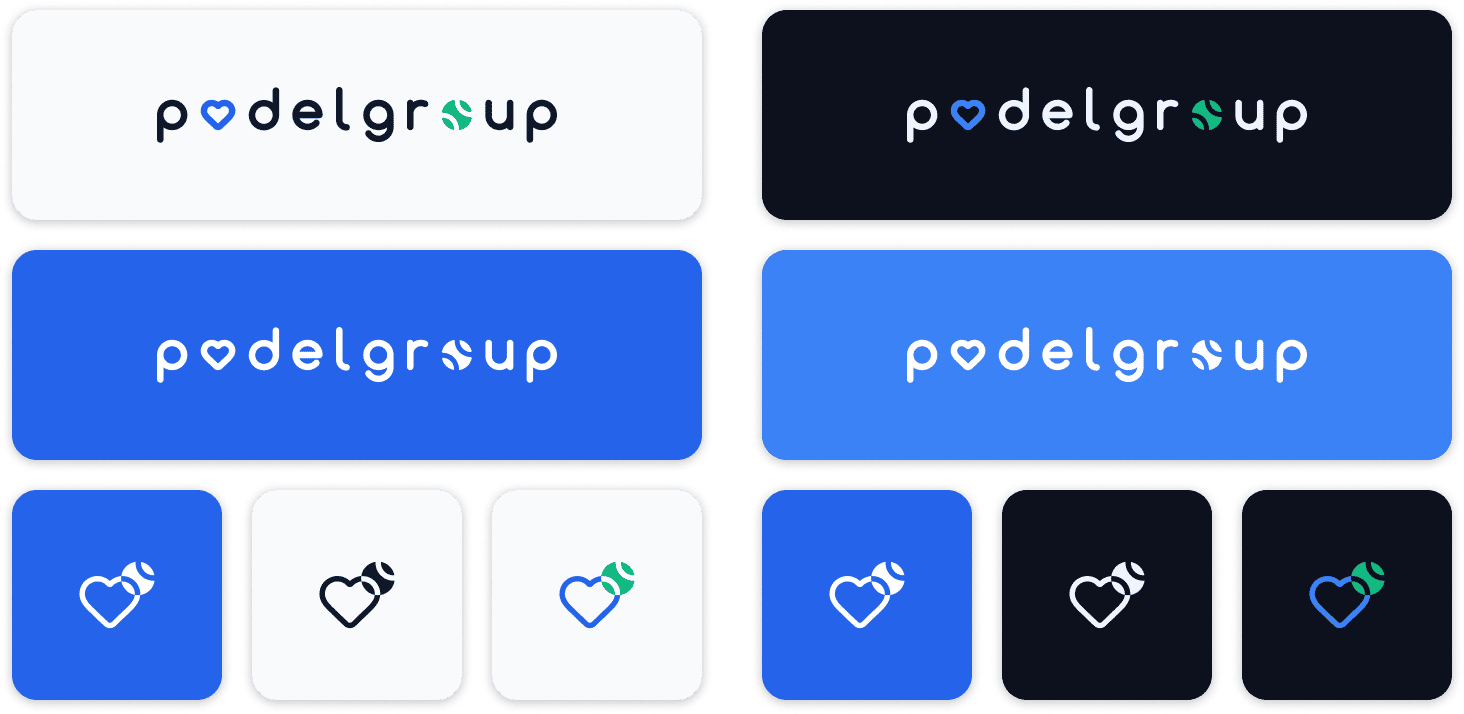
The wordmark encodes the concept directly into the letters: the "o" in padel becomes a heart, the "o" in group becomes a padel ball, with the icon combining both into a single mark that spells out love for padel. The colour system was built for both light and dark themes at the token level from the start, so switching themes requires no component-level overrides.
Design system
From there, the design system took shape: semantic tokens covering colour, spacing, border radius, and elevation, with a full component library covering controls, navigation, and domain-specific containers, all documented in Figma as the build progresses.
Authentication and onboarding
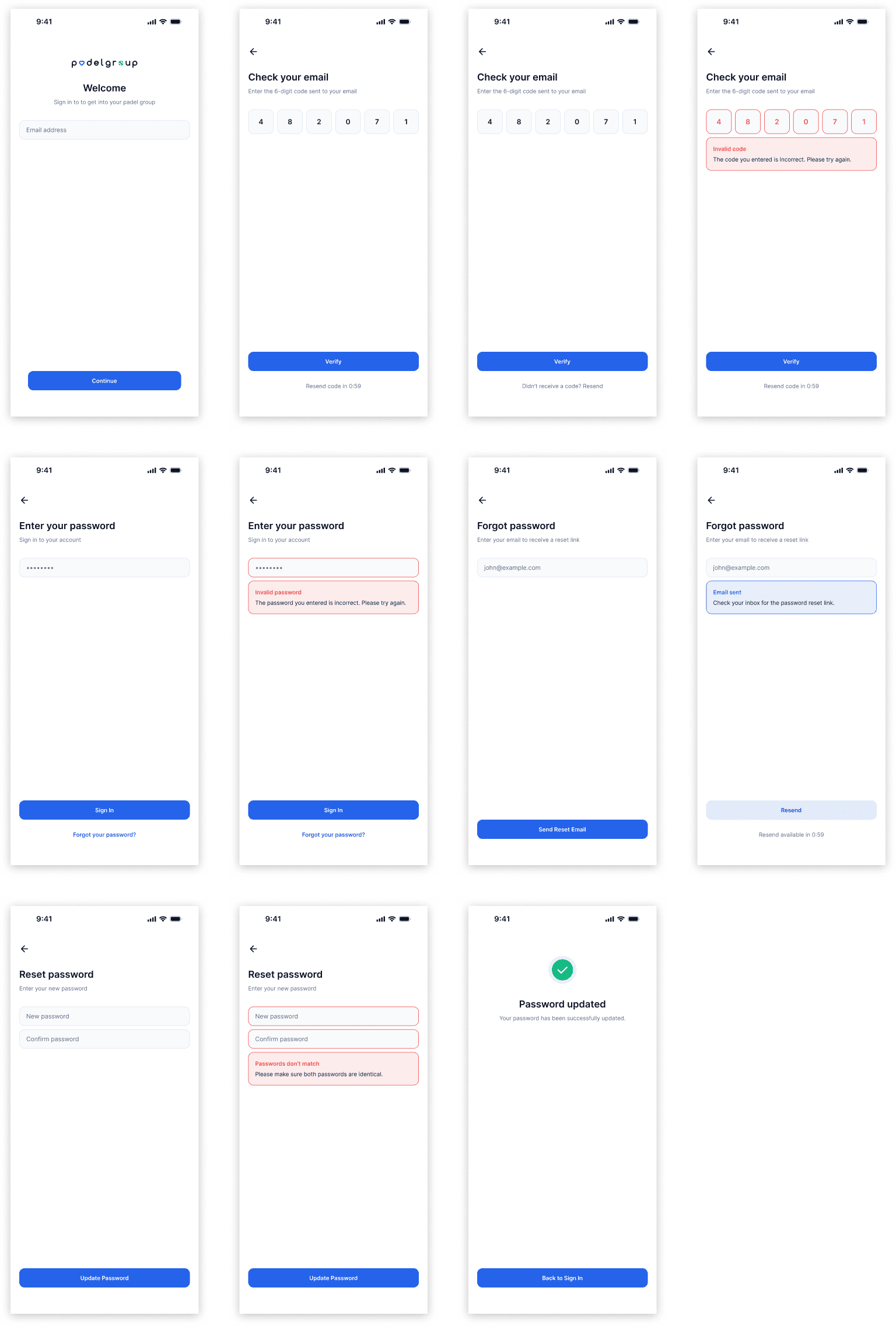
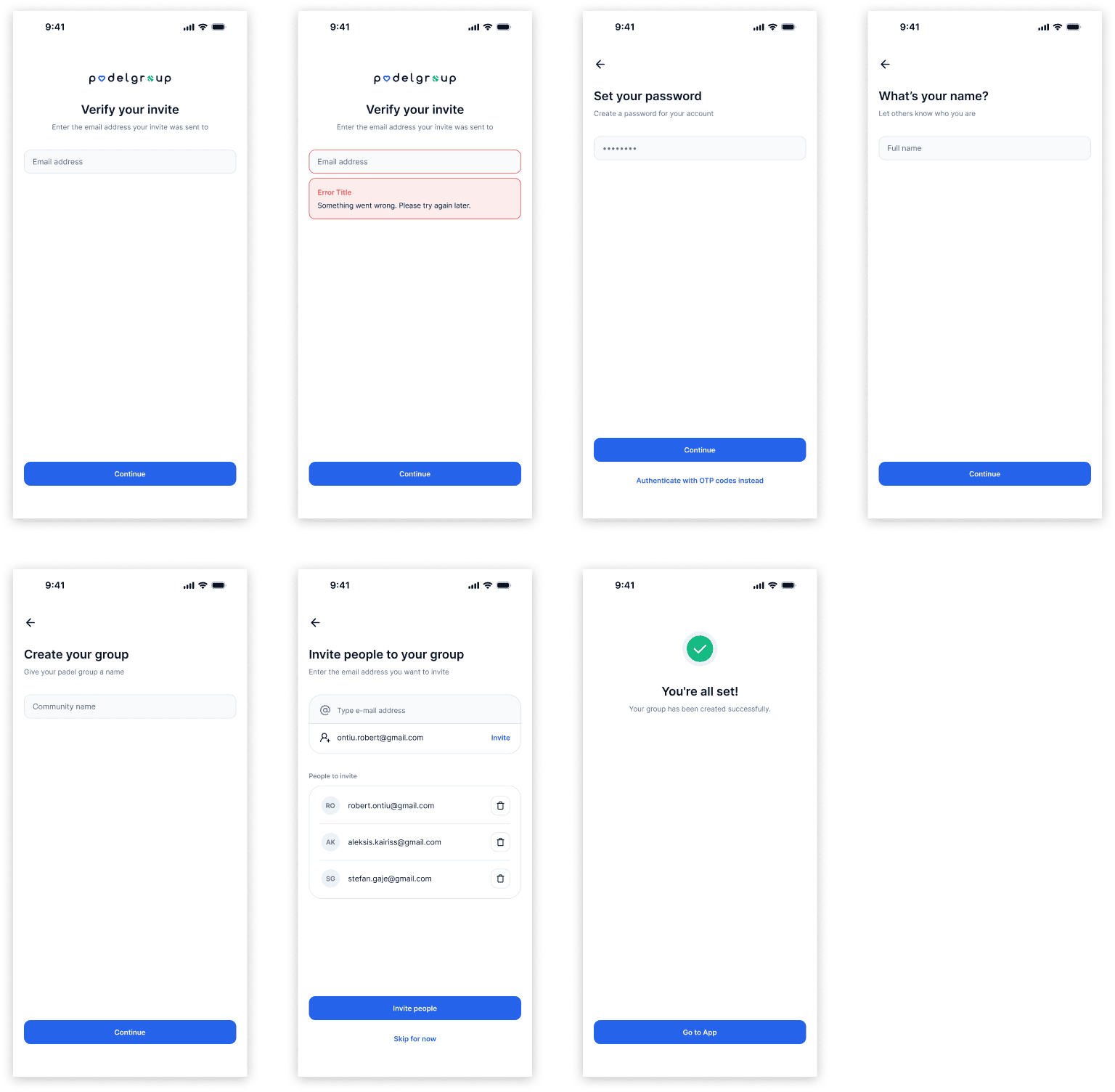
The Figma file spans nine pages. Authentication runs across 11 screens, covering everything from the first sign-in to OTP verification, password reset, and confirmation. Two distinct onboarding flows handle new users creating a group and invited members joining one, each with their own error states and edge cases accounted for.
Core sections
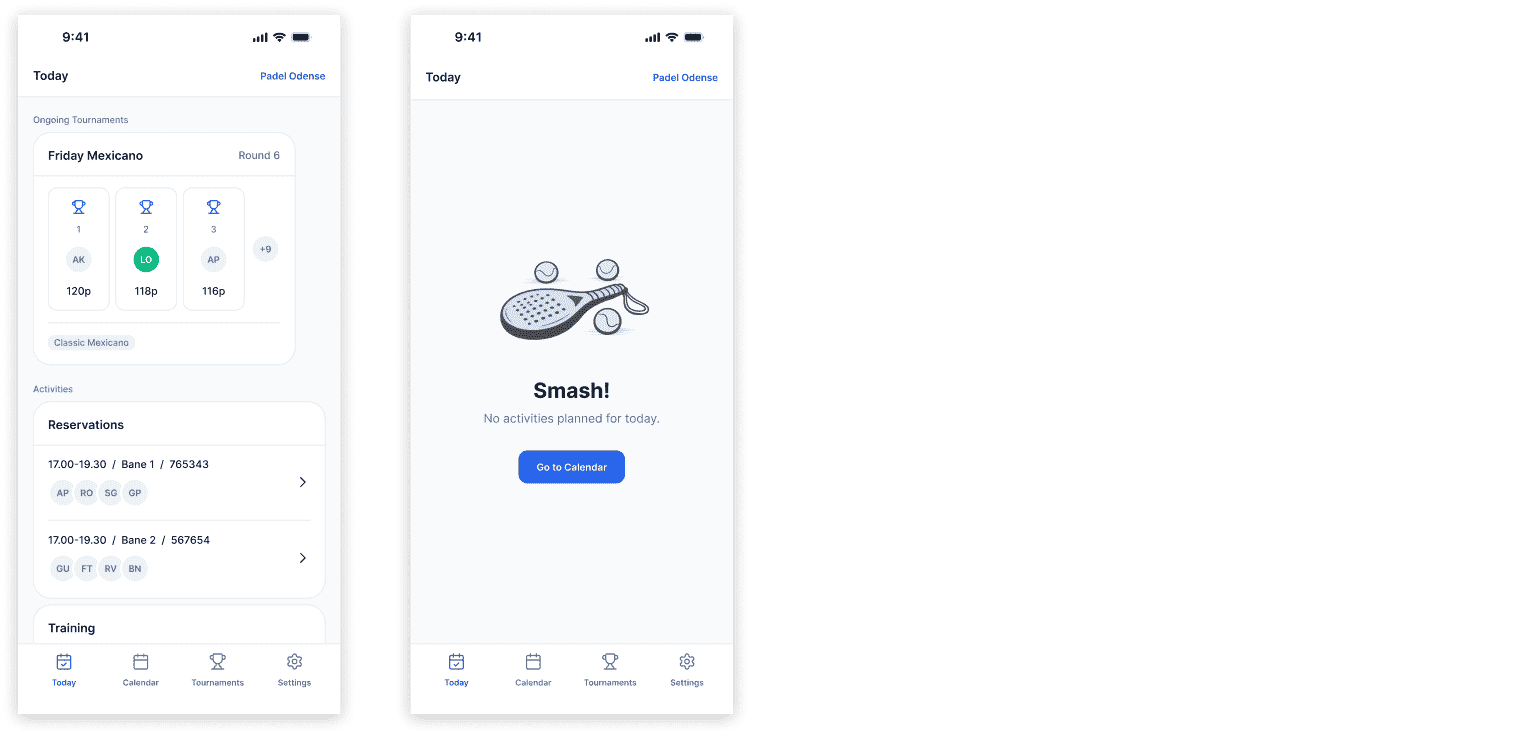
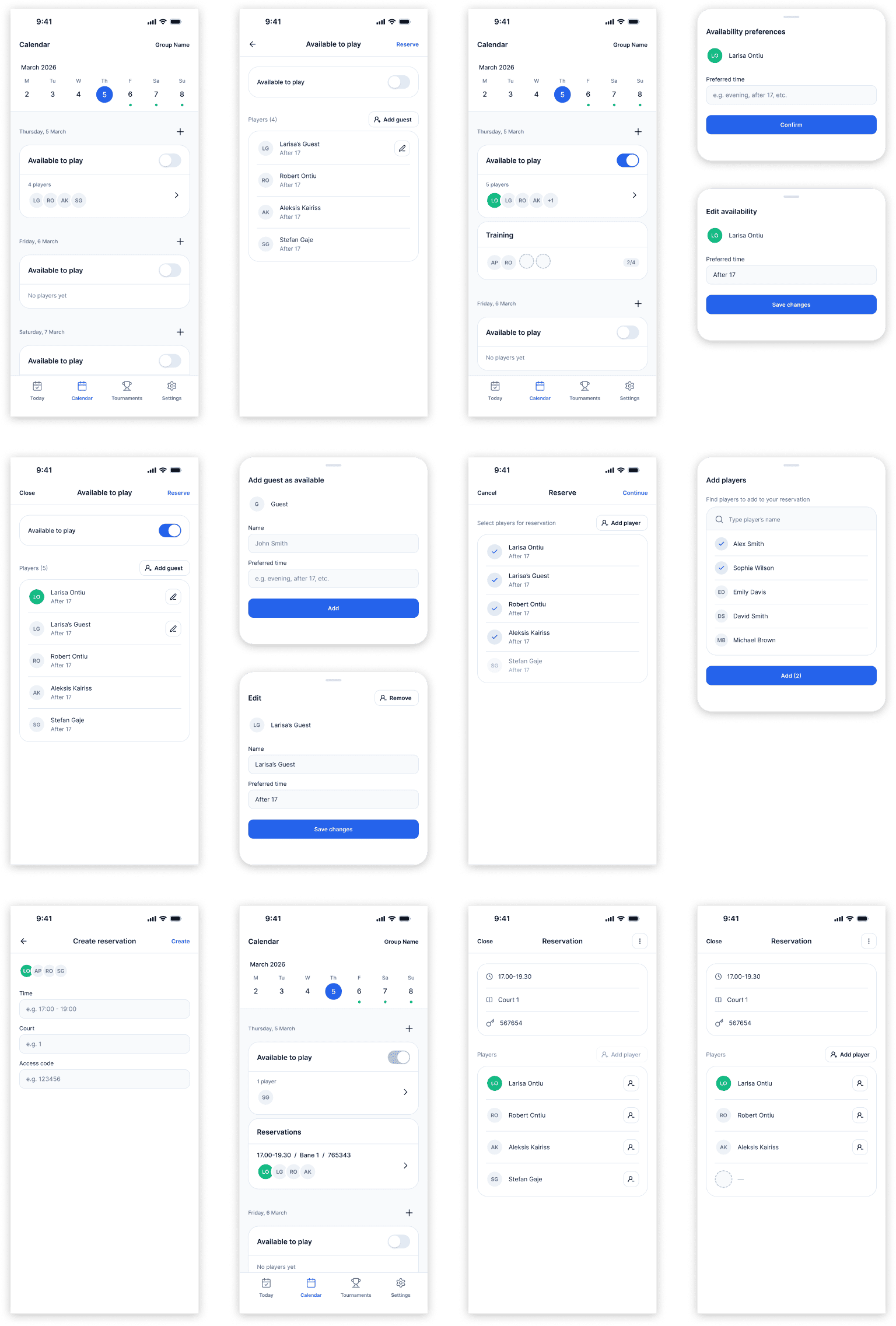
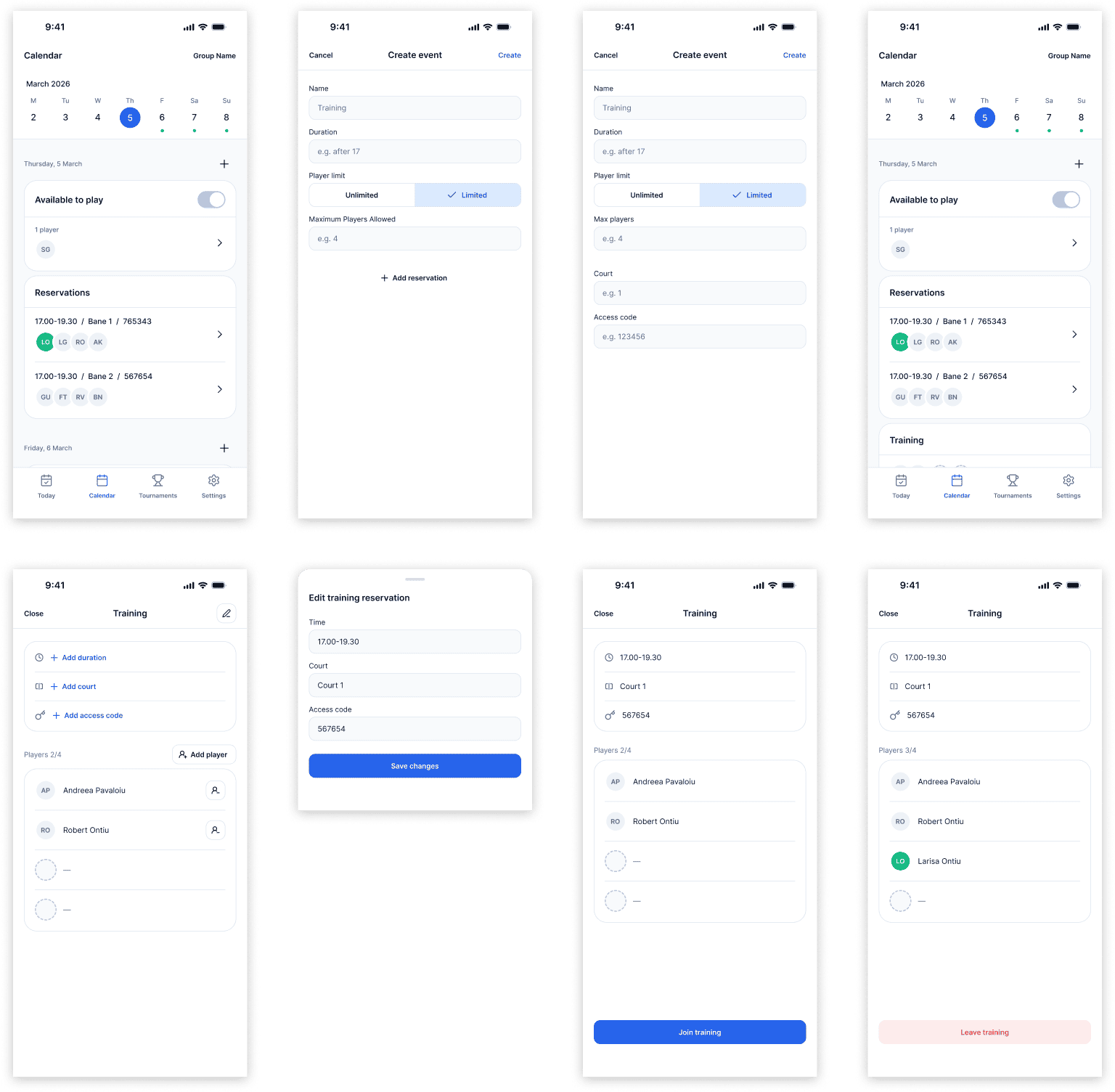
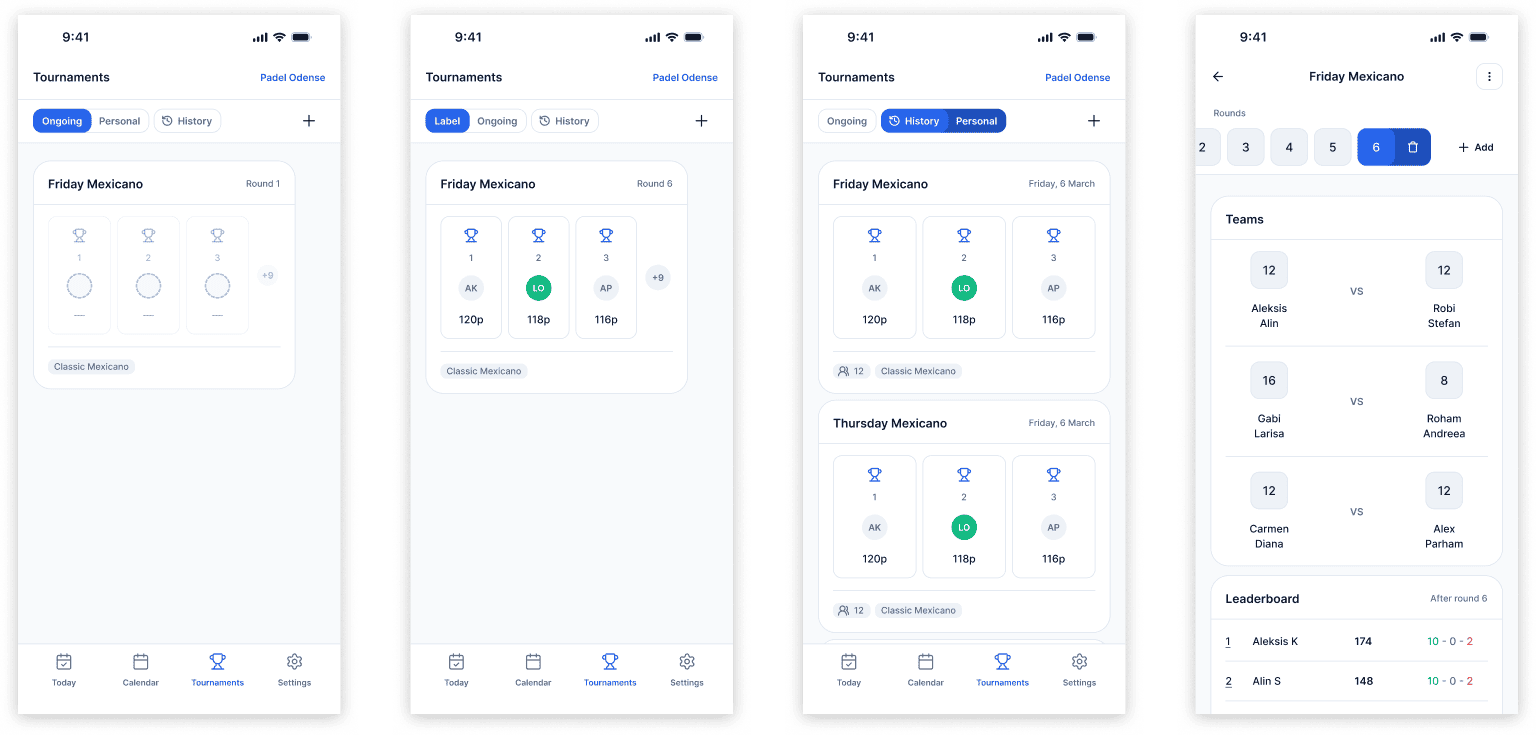
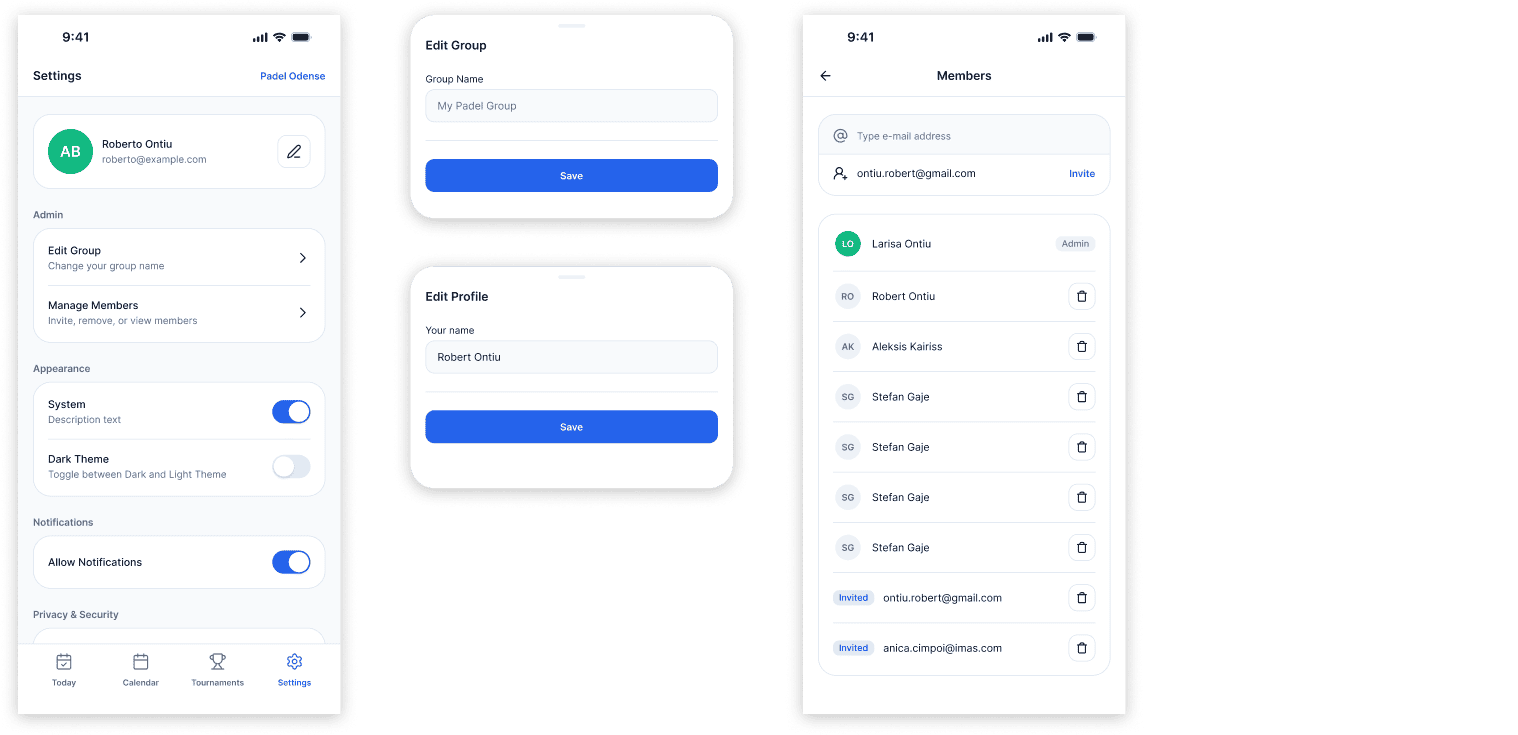
The four core sections are Today, Calendar, Tournaments, and Settings. Today surfaces active sessions and ongoing tournaments at a glance, while the Calendar is built around a lobby system where players signal availability and preferred time before anyone books a court, so the group knows who is in before committing to a reservation on the venue's own platform. Tournaments tracks ongoing Mexicano formats with live leaderboards, round-by-round brackets, and a winners screen. Every section has its empty states, error states, and admin versus member variants designed explicitly.
Outcome
V1 is in active development, targeting a summer release with a small group of real players as the first testers. The plan is to iterate on what breaks or falls short before expanding further, and the design system was built to absorb those iterations without starting over. There are features planned beyond V1 that are not yet in scope, and the product will keep evolving as the testing group grows.