Product
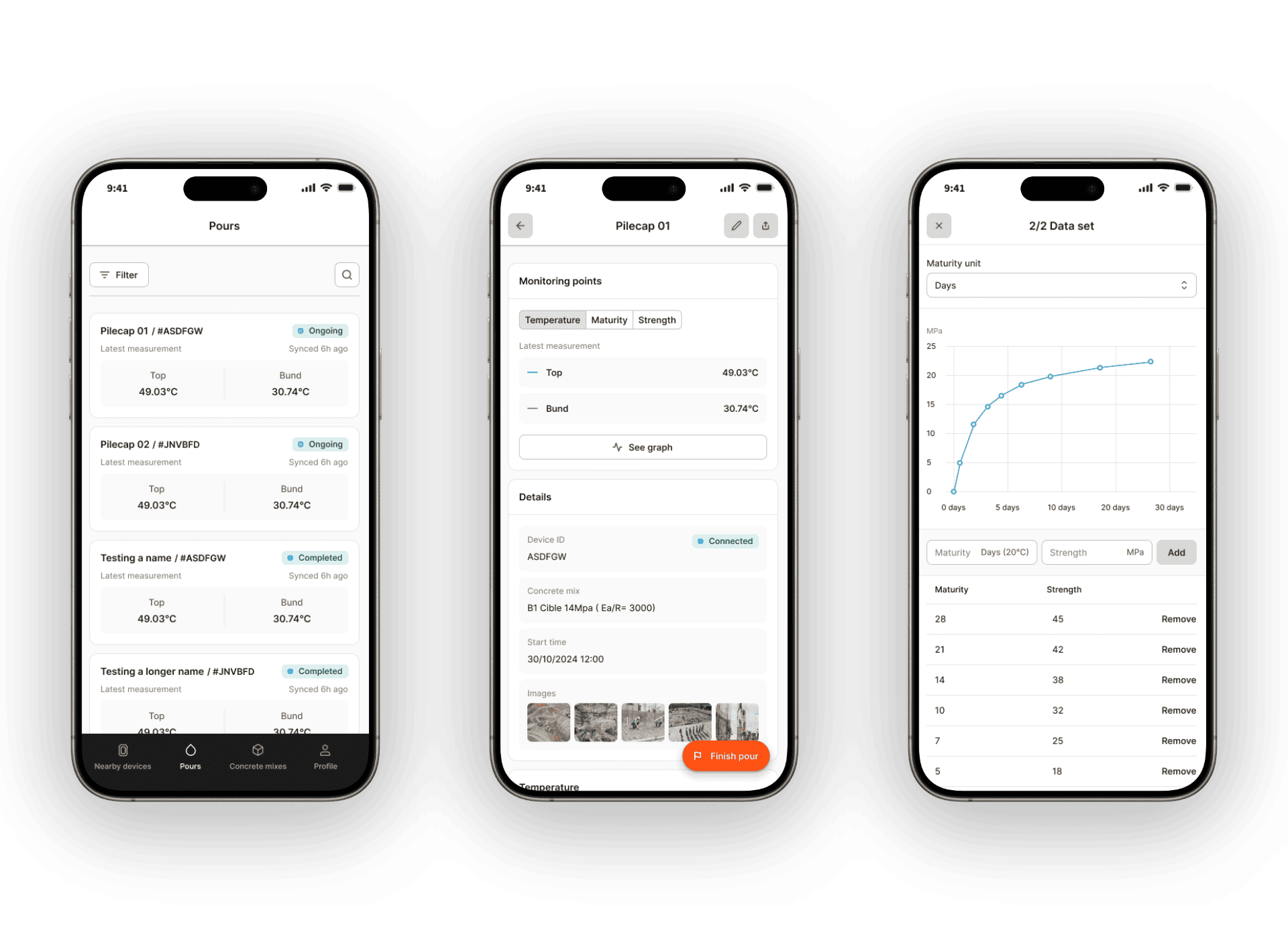
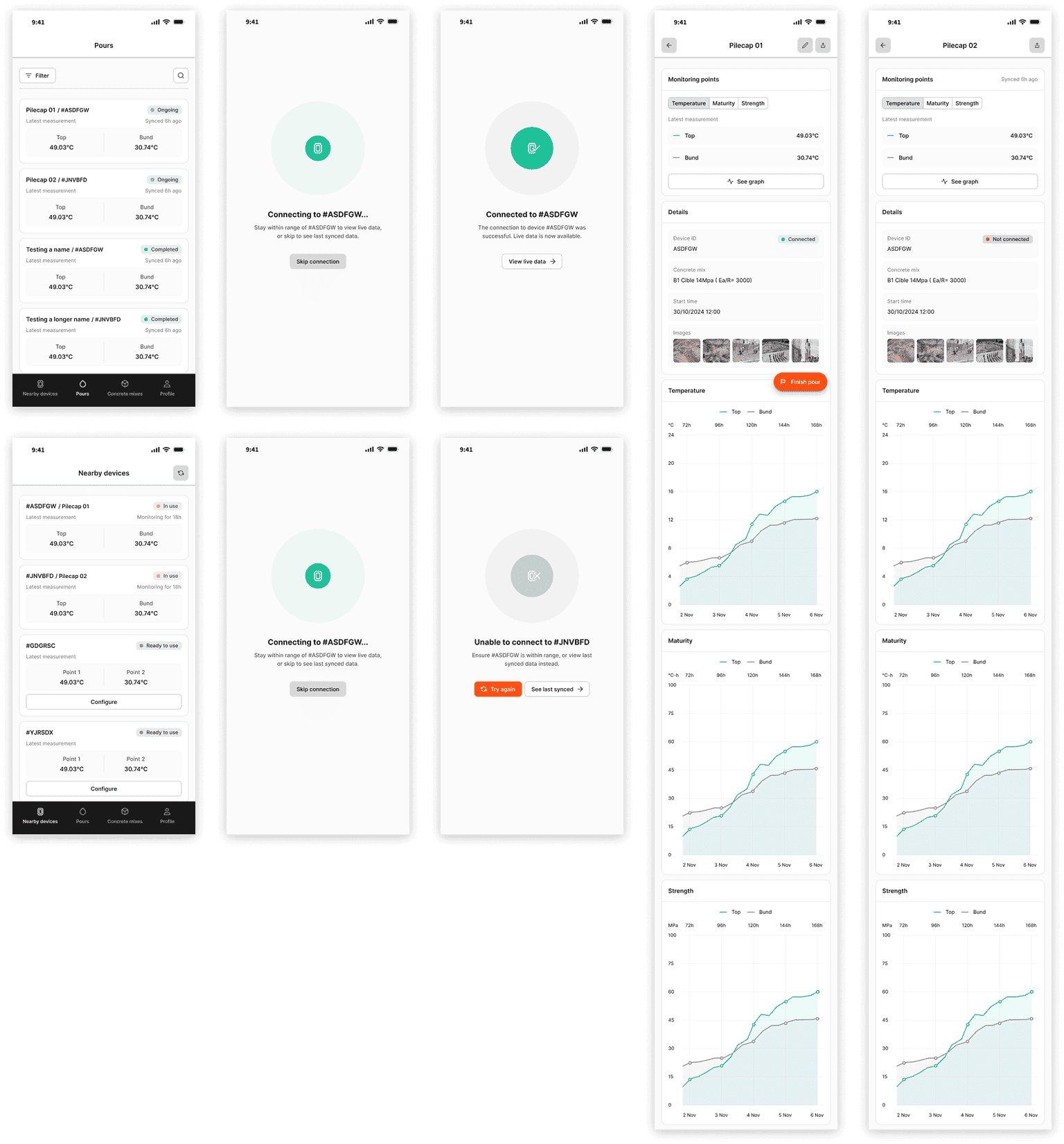
Nova is a fully embeddable, single-use concrete sensor. It stores data onboard and syncs to a phone over Bluetooth when in range. For smaller projects where remote monitoring is not a priority, this removes the cost and complexity of the full Maturix stack entirely. The app is the only interface between the sensor and the user. It handles activation, pour configuration, live data reading, and access to last-synced data when out of range.
Challenge
Nova targets site teams who may have never used Maturix software before. If the app needed training or support to operate on a job site, it had already failed. That was the real problem: designing something that works for a first-time user with no prior context, while the Insitu redesign was still in progress and the hardware launch date was fixed. Two months to deliver a complete app, designed and developed, with no room to get the onboarding wrong.
Process
Scope and structure
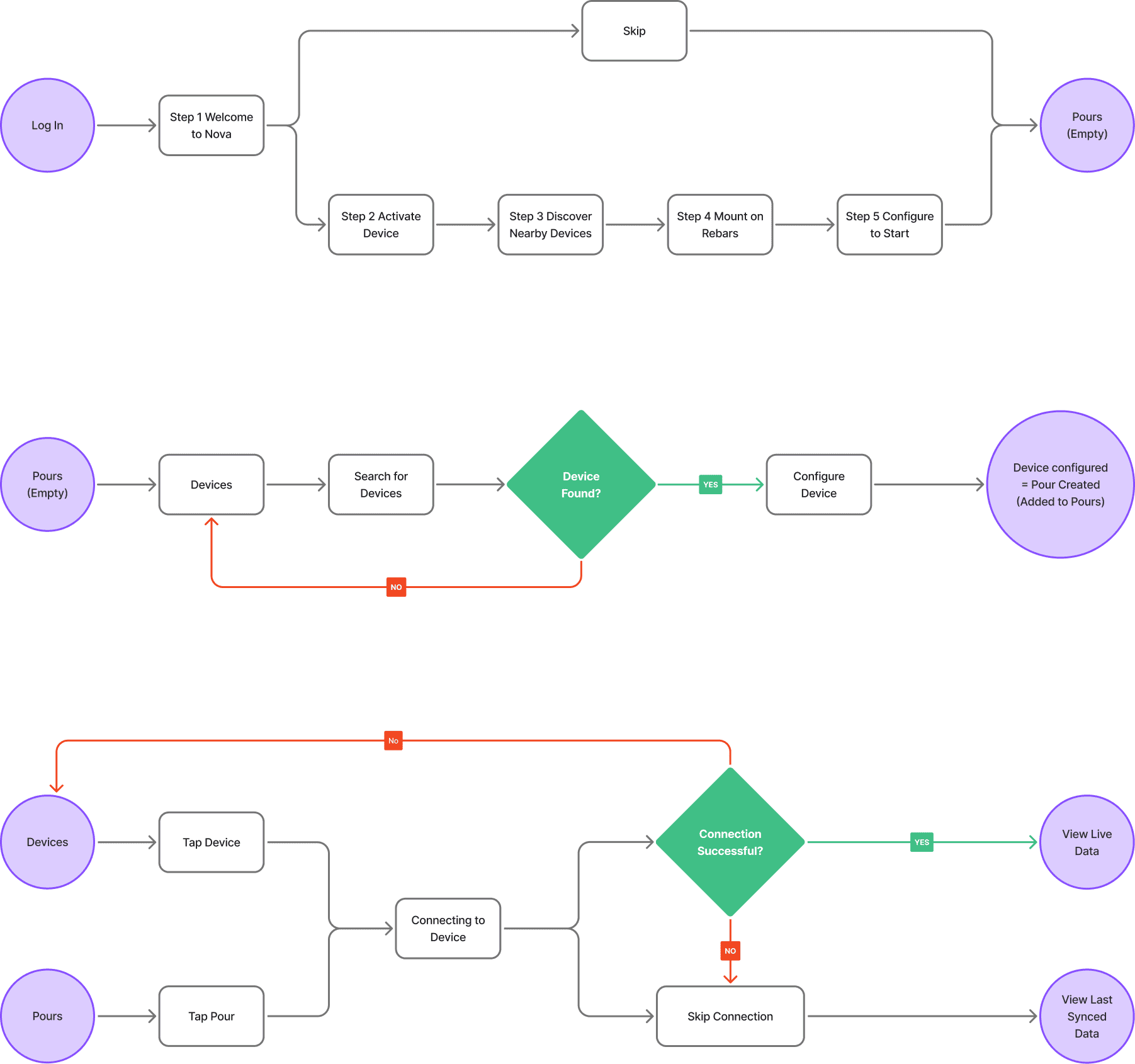
The information architecture covers four areas: Nearby Devices, Pours, Concrete Mixes, and Profile. I got the flows approved internally before starting any visual work, then moved directly to high-fidelity using the Insitu design system already built. Skipping wireframes was a deliberate call. The usability patterns and mental models validated during the Insitu redesign applied directly to Nova's structural decisions. Repeating that research from scratch would have exceeded our restricted timeline, especially since the foundations had already been tested. That decision kept the build on track without compromising the structural logic.
Onboarding
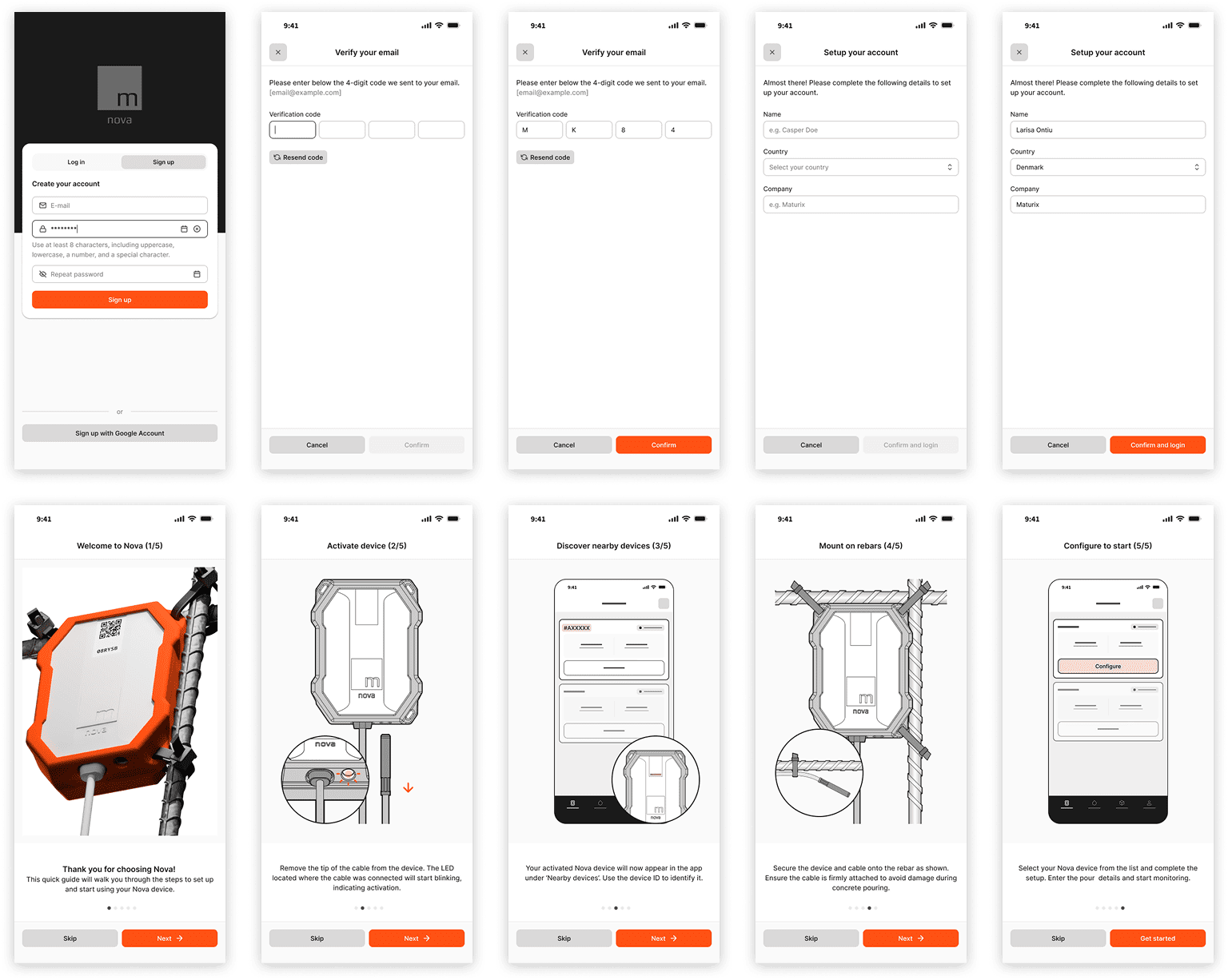
The onboarding mirrors the physical installation sequence. Five steps walk a user through activation, device discovery, mounting, and configuration before they reach the app. Users can skip it entirely, but it is there for anyone handling a Nova device for the first time.
Pour configuration
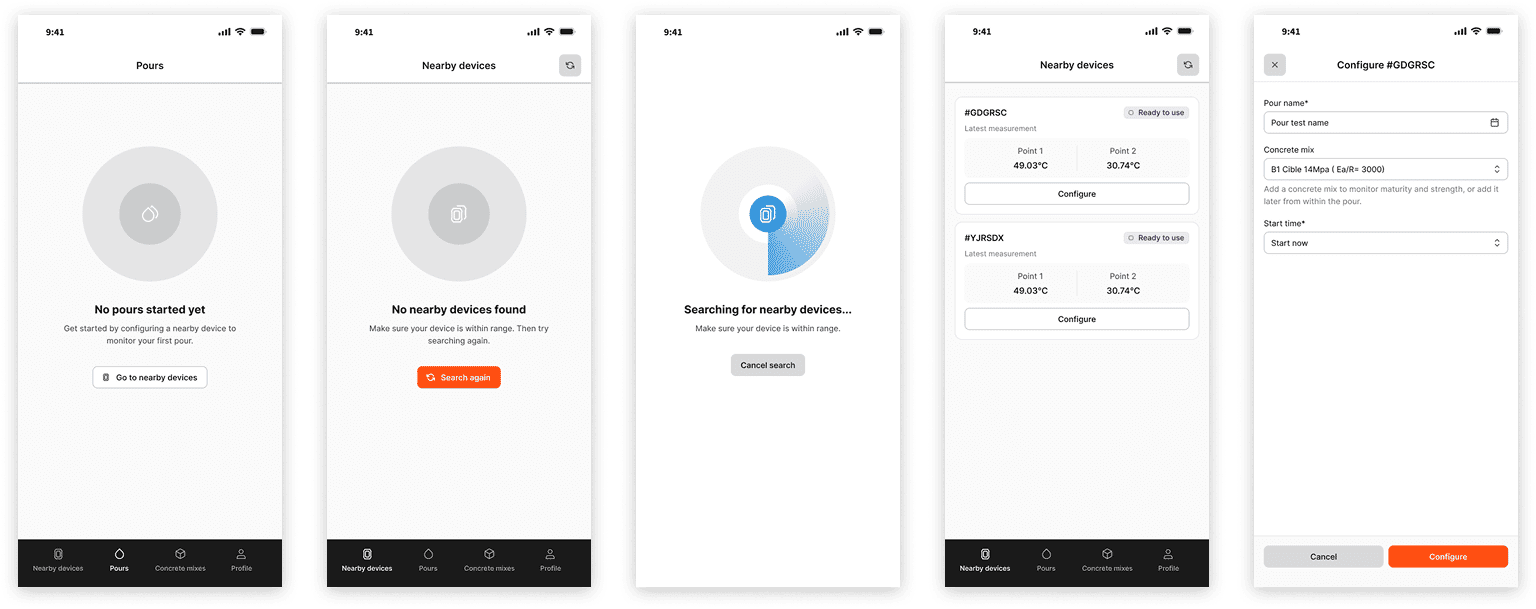
Configuring a device and starting a pour are the same action. When a nearby device appears in the list, tapping Configure opens a modal: pour name, concrete mix, start time. The concrete mix is optional at that point and can be added later from within the pour. That is a direct application of the pull-model logic from the Insitu redesign.
Bluetooth state handling
The design handles the Bluetooth constraint directly rather than hiding it. Opening a pour triggers a connection attempt. If the device is in range, live data loads. If it is not, the user gets two clear options: try again or view the last synced data. There are no dead ends and no ambiguity about what the app can and cannot do from a distance.
Concrete mix flow
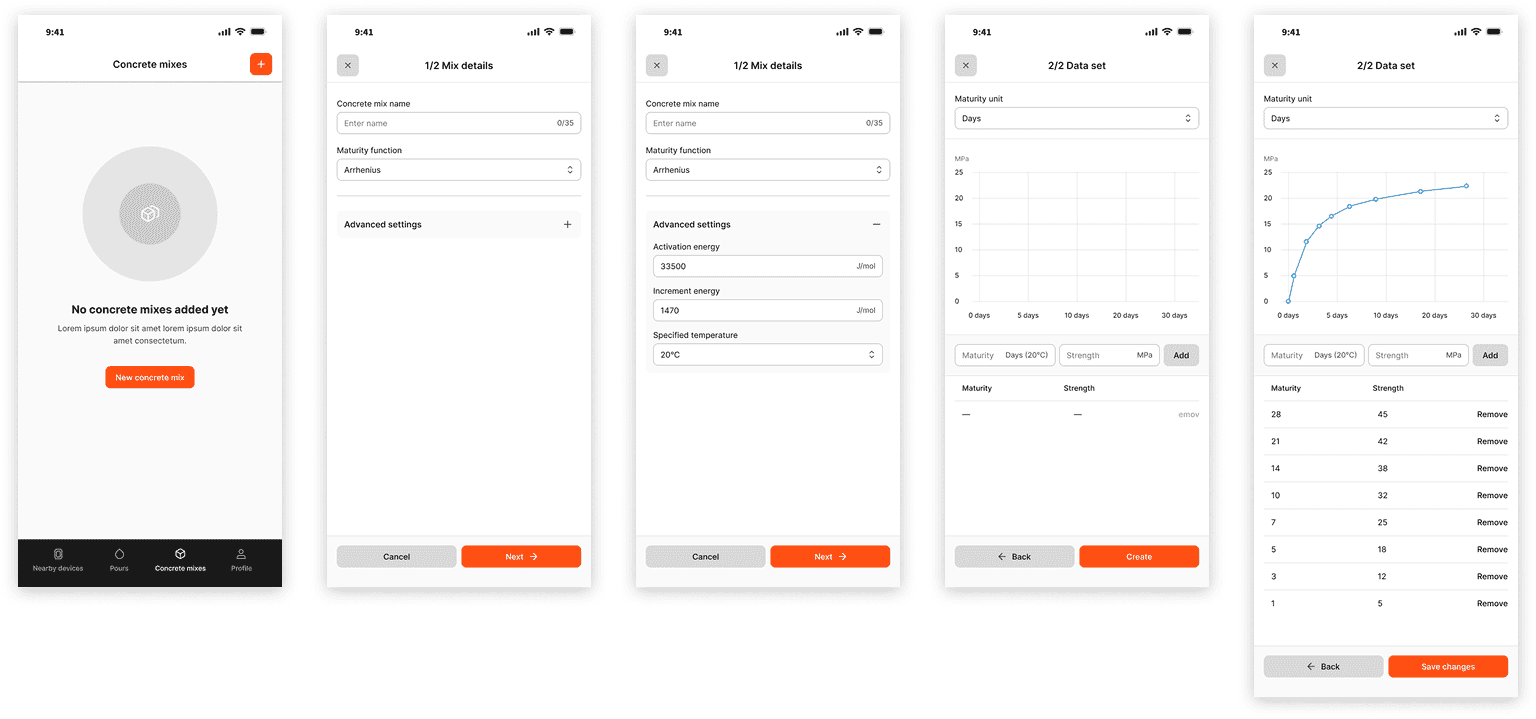
The concrete mix flow is the most technically demanding part of the app. Creating or editing a mix requires selecting a maturity function, optional advanced parameters, and a strength dataset entered as maturity-strength pairs that render as a live curve. I structured it into two steps: Mix Details, then Data Set, to keep the complexity manageable without removing the functionality that experienced users need.
Outcome
The Nova app shipped alongside the hardware, covering the full user journey from account creation through active pour monitoring. A user with no prior knowledge of Maturix software could open the app, activate a sensor, configure a pour, and read live concrete data on site without guidance or support.