Product
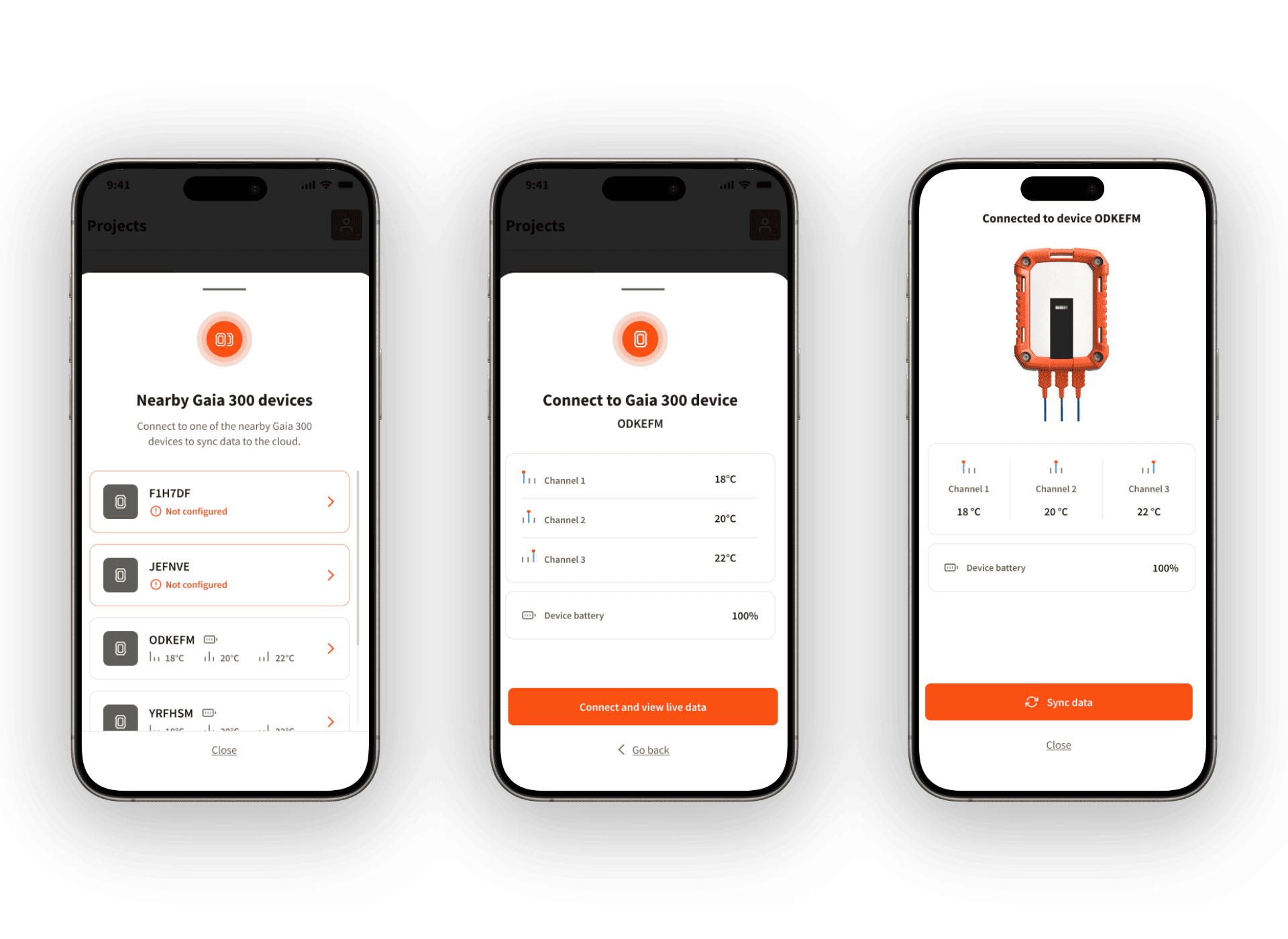
Gaia 300 is a wireless concrete monitoring transmitter that connects up to three Type K thermocouples, tracking temperature and strength across three points in a single pour. It transmits data via Sigfox, but, unlike its predecessor, the Gaia 200, it also stores data onboard and connects directly to a phone over Bluetooth. That makes it the hardware of choice for projects where Sigfox coverage cannot be guaranteed: tunnels, below-grade structures, and remote sites where a signal gap would otherwise mean a monitoring gap. When connectivity returns, or a site team member is physically near the device, stored data can be manually pushed to the cloud.
Challenge
Bluetooth connections drop. Thermocouple cables snap. Hardware components fail. Every failure state had to tell the user exactly what was wrong and what to do next, because a generic error screen on a construction site is not just a UX problem: it is a monitoring gap. That constraint ran through every decision in the project. Beyond the error states, the deeper problem was coherence. Configure, Connect, and Sync are three distinct actions that had to feel like one system. On a job site, with a pour in progress, there is no room for ambiguity about what step you are on or why a button is unavailable.
Process
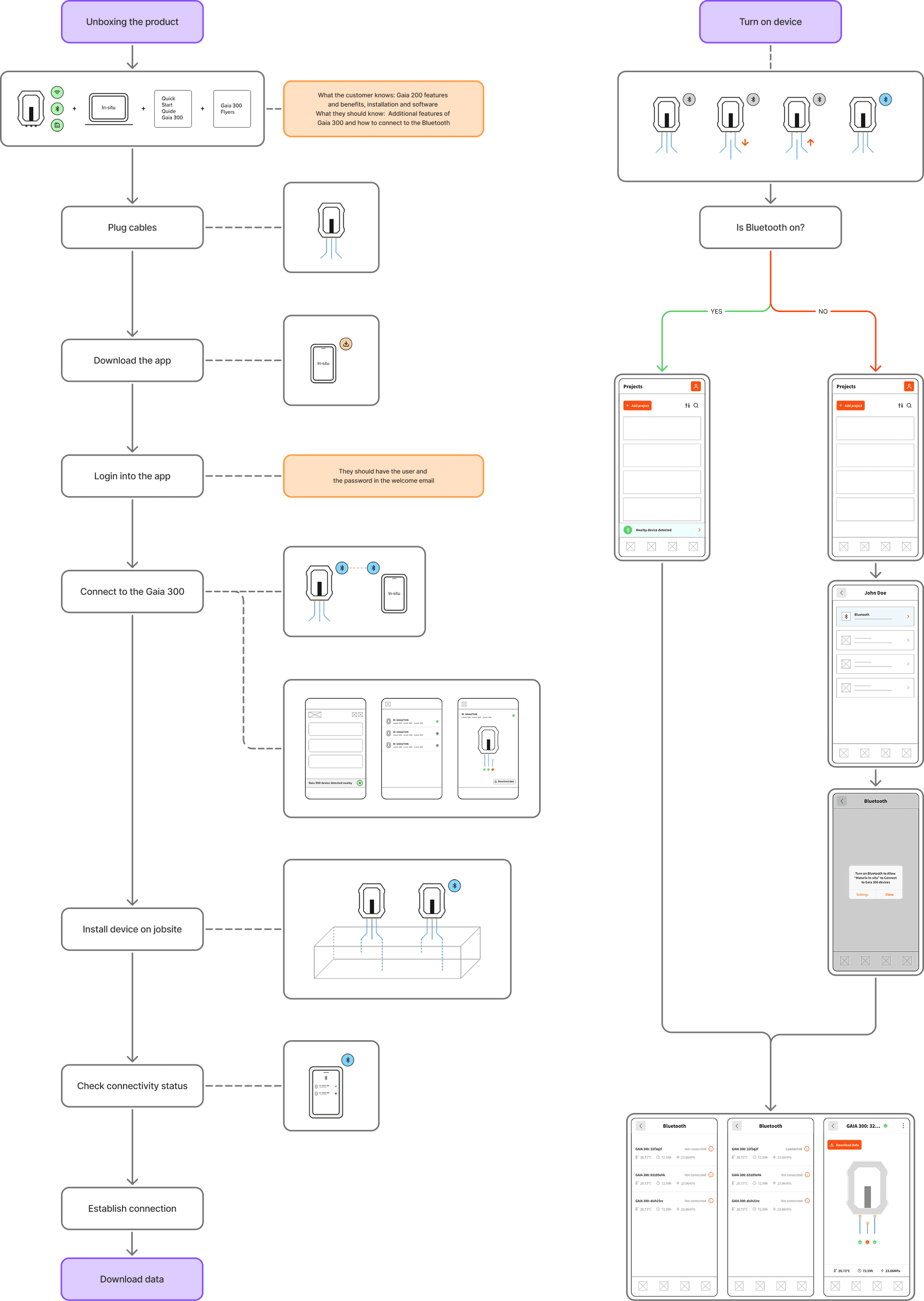
Mapping the system
Before designing any screens, I mapped the full user journey in Figma, from unboxing through to data download, annotating hardware constraints directly into the flow: the Bluetooth power-cycling behaviour, the thermocouple unplugging logic needed to reactivate a connection, and the distinction between new and returning users. Every screen decision traces back to a documented user state rather than an assumption. An early approach placed Bluetooth in a separate section within the app. Working through the implications made clear that a separate section added navigation overhead at exactly the moment users needed the least friction. I moved to an overlay model instead: the interface surfaces automatically when a nearby device is detected, keeping site teams inside their existing context.
Configure
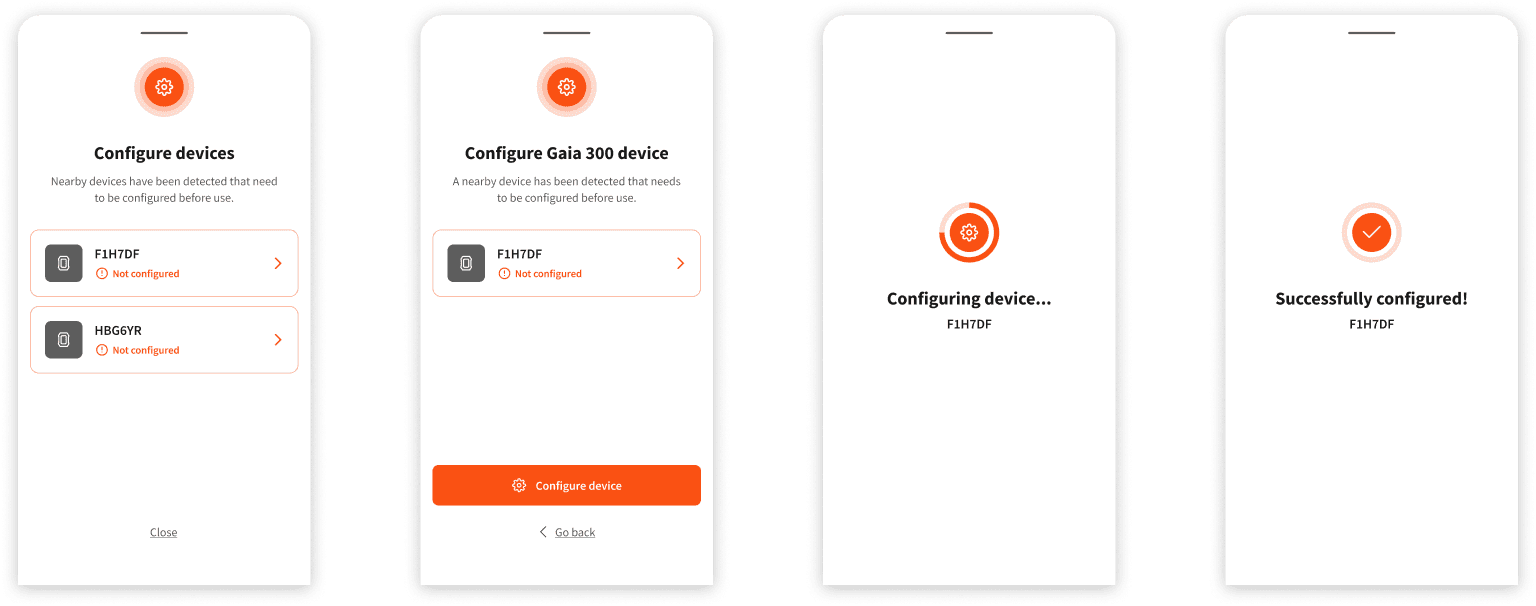
Configuration runs once on first use. The app detects an unconfigured Gaia 300 and presents a modal prompting setup before monitoring can begin. I designed the in-progress and success states explicitly so that a user always knows whether the action completed: a loading animation followed by a clear confirmation screen, before the device moves into the nearby devices list.
Connect
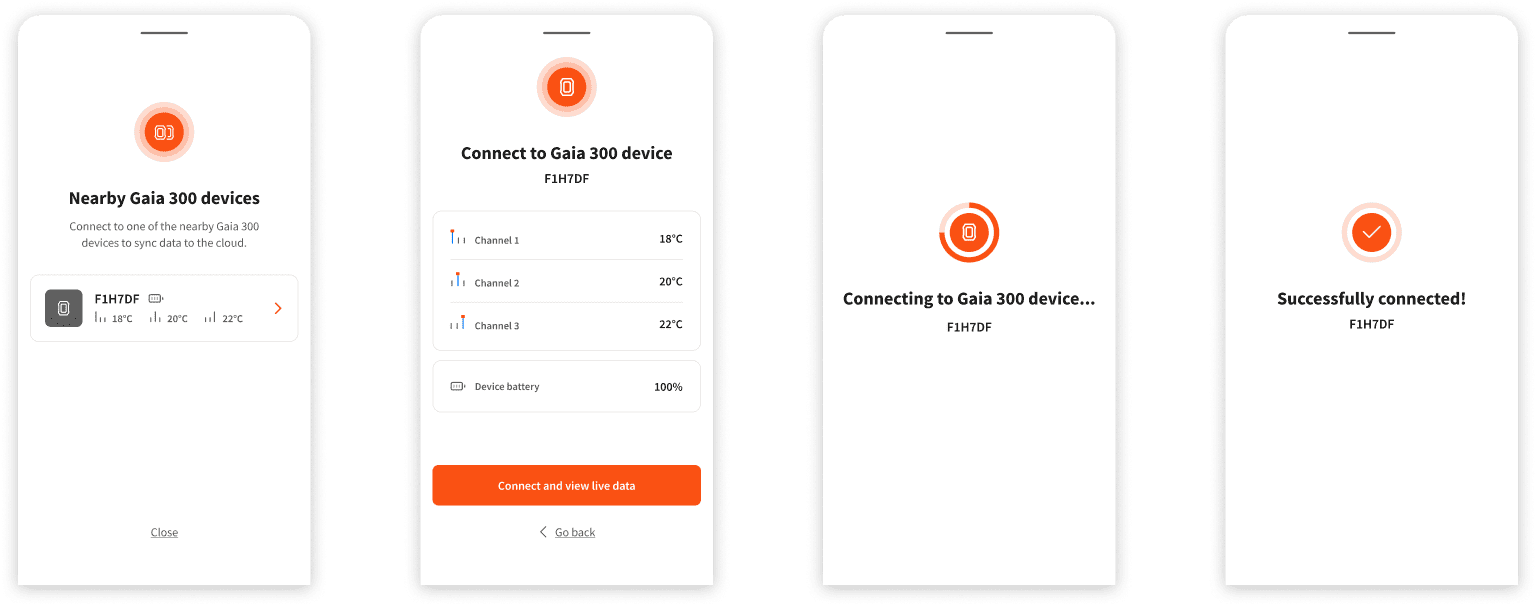
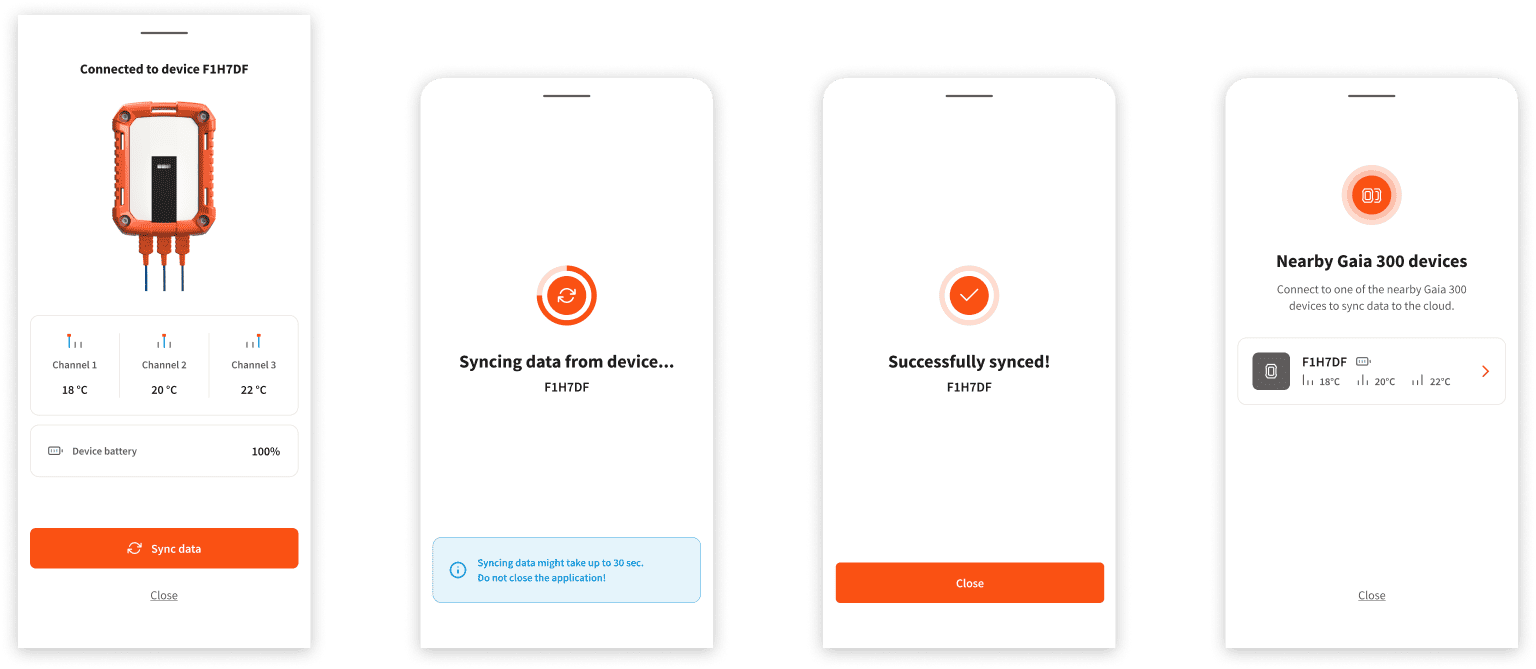
The Connect flow shows all Gaia 300 devices in range, each with a live channel readout and battery status visible before the user commits to connecting. That preview lets a user with multiple devices on site identify the right one without repeatedly connecting and disconnecting. Confirming the connection surfaces the device page, where all three thermocouple channels and battery state are visible alongside a single Sync data action.
Sync
The Sync screen includes an explicit in-progress state with a warning not to close the app during transfer, a real risk on a phone in a jacket pocket. The completion confirmation names the specific device and confirms data has been synced for all pours it monitors. Not a generic success message.
Error states
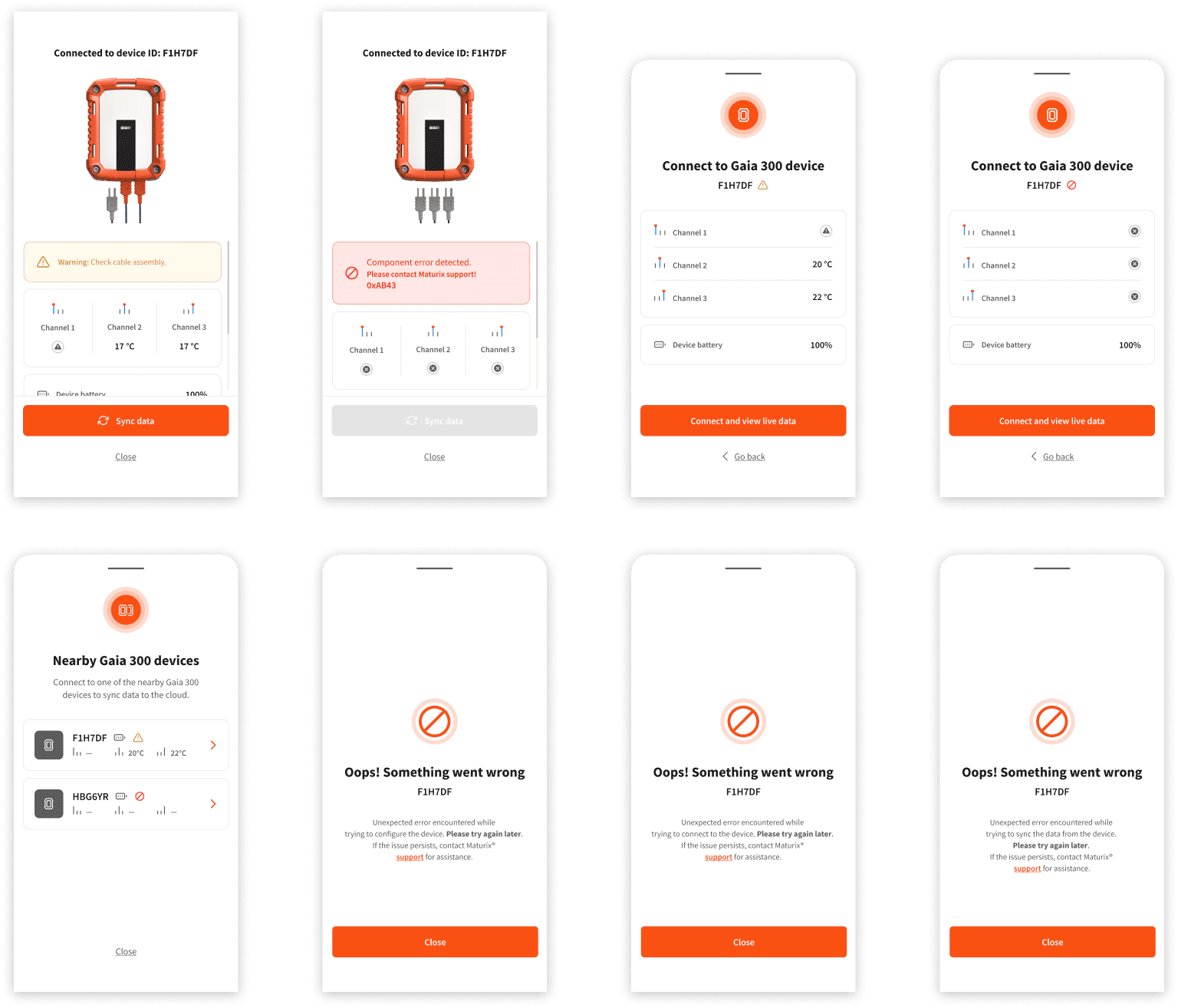
I designed the full error states across all three flows. A faulty cable surfaces a warning on the affected channel and leaves sync available. A component error disables sync entirely and displays a specific error code that the user can take directly to Maturix support. Unexpected failures on configuration, connection, and sync each have their own screen with the same structure: what happened, what to try, and where to go if the issue continues.
All flows were built in Figma and handed to the development agency with documentation covering every state.
Outcome
The Gaia 300 Bluetooth interface shipped with the hardware. Site teams could configure a device, connect to it, and push stored data to the cloud through a single linear flow. The error states were the most consequential part of the work: each failure mode provided users a specific description of what went wrong, what to try, and where to go if it continued. On a construction site, that specificity is the difference between a recoverable situation and a monitoring gap.